
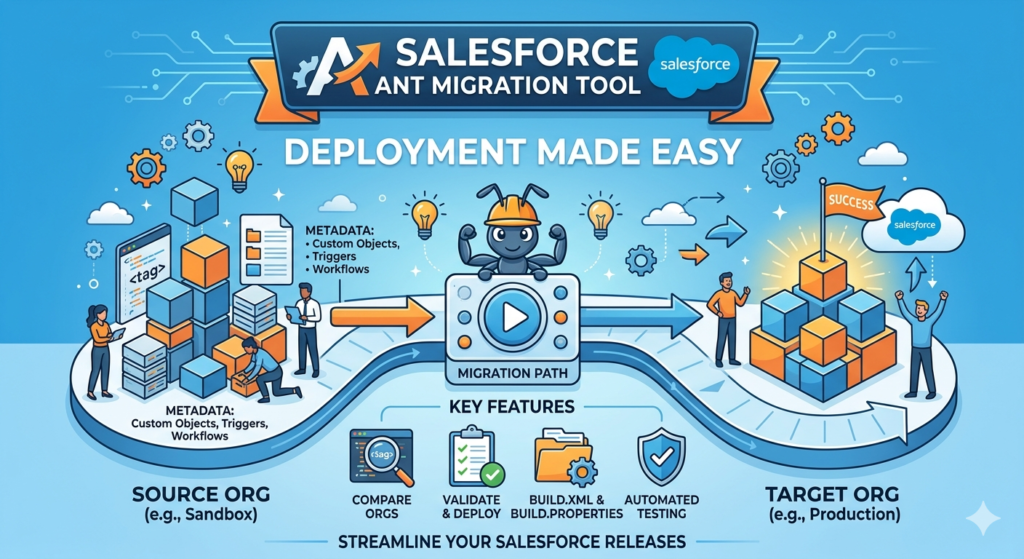
If you have worked in Salesforce development, you have probably heard the word “deployment” many times. Moving metadata from one Salesforce org to another is a common task for developers and admins. While Salesforce provides several deployment options, one of the most popular tools is the ANT Migration Tool.
In this blog, we’ll understand what the Salesforce ANT Migration Tool is, why it’s useful, and how it helps make deployments easier.
What is the Salesforce ANT Migration Tool?
The Salesforce ANT Migration Tool is a command-line utility that helps developers retrieve and deploy metadata between Salesforce organizations.
In simple words, it allows you to move components such as:
- Apex Classes
- Apex Triggers
- Lightning Web Components (LWC)
- Custom Objects
- Flows
- Visualforce Pages
- Profiles
- Permission Sets
and many other metadata components from one org to another.
The ANT Migration Tool uses the Salesforce Metadata API behind the scenes to perform deployments.
Why Do We Need the ANT Migration Tool?
Imagine you have completed development in a Sandbox and now need to move your changes to another Sandbox or Production.
Doing this manually would be time-consuming and risky.
The ANT Migration Tool helps by:
- Automating deployments
- Reducing manual effort
- Supporting large deployments
- Maintaining deployment consistency
- Working well with CI/CD processes
This makes deployments faster and more reliable.
How Does the ANT Migration Tool Work?
The ANT Migration Tool uses XML configuration files to define:
- What metadata should be retrieved
- Where metadata should be deployed
- Which Salesforce org should be connected
The tool reads these files and performs the deployment automatically.
Think of it as giving Salesforce a set of instructions and asking it to perform the deployment for you.
Prerequisites
Before using the ANT Migration Tool, make sure you have:
Java Installed
The ANT tool requires Java to run.
You can verify installation using:
java -version
Apache ANT Installed
Download and install Apache ANT on your machine.
Verify installation:
ant -version
Salesforce ANT Migration Tool Files
Download the Salesforce ANT Migration Tool package and extract it to your local machine.
Important Files in ANT Migration Tool
Let’s understand the main files you will work with.
build.xml
This file contains deployment commands.
Example:
<target name="deployCode">
    <sf:deploy
        username="${sf.username}"
        password="${sf.password}"
        serverurl="${sf.serverurl}"
        deployRoot="src"/>
</target>
This tells ANT how to deploy metadata.
build.properties
This file stores Salesforce login information.
Example:
sf.username=testuser@example.com
sf.password=passwordSecurityToken
sf.serverurl=https://login.salesforce.com
It helps keep credentials separate from deployment logic.
package.xml
This file specifies which metadata components should be retrieved or deployed.
Example:
<types>
    <members>*</members>
    <name>ApexClass</name>
</types>

<version>65.0</version>
This example retrieves all Apex classes.
Retrieving Metadata from Salesforce
To download metadata from Salesforce:
Step 1
Update your package.xml with required components.
Step 2
Run the retrieve command:
ant retrieve
Step 3
The metadata will be downloaded into your local project folder.
Now you can review, update, or deploy the files.
Deploying Metadata to Salesforce
Once your metadata is ready, deployment becomes simple.
Step 1
Verify your package.xml file.
Step 2
Update your deployment target org credentials.
Step 3
Run:
ant deployCode
The ANT Migration Tool will connect to Salesforce and deploy the selected metadata.
Example Deployment Flow
Let’s look at a simple real-world example.
Development Sandbox
Developer creates:
- Apex Class
- Trigger
- Lightning Web Component
Retrieve Metadata
Use ANT to download metadata locally.
Validation
Review changes and perform testing.
Deployment
Use ANT to deploy the metadata to:
- UAT Sandbox
- Staging Environment
- Production Org
This process helps maintain deployment consistency across environments.
Advantages of ANT Migration Tool
Automation
Deployments can be automated with a single command.
Supports Large Projects
Useful when handling many metadata components.
Easy Integration
Works well with Git, Jenkins, and CI/CD pipelines.
Repeatable Deployments
The same deployment process can be reused multiple times.
Better Control
Developers can track exactly what is being deployed.
Limitations of ANT Migration Tool
While ANT is powerful, it has some limitations.
Command Line Knowledge Required
Beginners may need some time to get comfortable with command-line tools.
Manual Configuration
XML files need to be configured properly.
Older Deployment Approach
Many organizations are now moving towards Salesforce DX and modern DevOps tools.
However, ANT is still widely used in many Salesforce projects.
ANT Migration Tool vs Change Sets
| Feature | ANT Migration Tool | Change Sets |
|---|---|---|
| Automation | Yes | No |
| Supports CI/CD | Yes | Limited |
| Large Deployments | Excellent | Moderate |
| Version Control Integration | Yes | No |
| Ease for Beginners | Medium | Easy |
For small deployments, Change Sets may be enough.
For larger projects and automated deployments, ANT Migration Tool is usually the better choice.
Best Practices
When using the ANT Migration Tool:
Use Version Control
Store metadata in Git repositories.
Validate Before Production
Always test deployments in a sandbox first.
Backup Metadata
Keep a backup before deploying major changes.
Use Separate Environments
Follow Sandbox → UAT → Production deployment flow.
Keep package.xml Clean
Include only the metadata you actually need.
Final Thoughts
The Salesforce ANT Migration Tool is a powerful deployment utility that helps developers move metadata between Salesforce environments efficiently. Although newer tools like Salesforce DX are becoming popular, ANT remains an important tool in many Salesforce projects.
If you’re a Salesforce fresher, learning the ANT Migration Tool will give you a strong understanding of Salesforce deployments and metadata management. Once you understand ANT, moving to advanced DevOps and CI/CD processes becomes much easier.
Start with small deployments, practice regularly, and you’ll soon be comfortable managing Salesforce releases like a professional.
Happy Learning!