
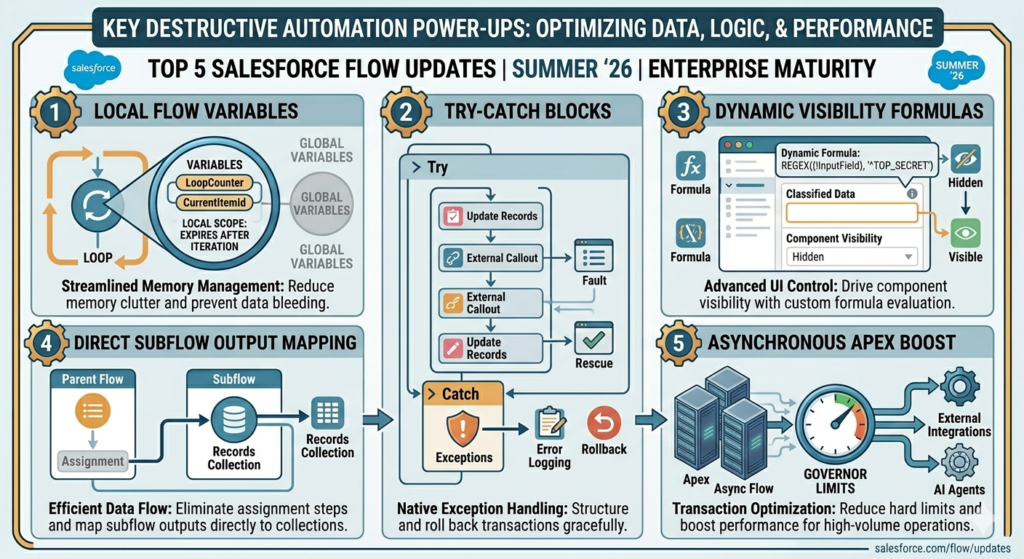
Every Salesforce release brings something new for admins and developers, but the Summer ’26 release feels especially important for people working with Flow. Salesforce is clearly investing heavily in automation, and this update adds several features that make Flow smarter, cleaner, and much easier to manage.
If you use Flow daily for approvals, automation, screen flows, or integrations, these updates can genuinely save time and reduce complexity.
Why Salesforce Is Focusing So Much on Flow
Over the last few releases, Salesforce has slowly pushed Flow to become the main automation tool on the platform. Workflow Rules and Process Builder are already moving out of focus, and now almost everything is being handled through Flow.
The reason is simple.
Businesses want automation without writing too much code. At the same time, admins want more flexibility and developers want better control. Salesforce Flow is now sitting exactly in the middle of both worlds.
Summer ’26 continues that direction with updates focused on:
- Better user experience
- Easier debugging
- Faster automation building
- Cleaner screen flows
- More control over large automations
And honestly, some of these updates solve problems admins have been complaining about for years.
1. Custom Batch Size for Scheduled Flows
This is probably one of the most useful updates for teams handling large data volumes.
Earlier, Scheduled Flows processed records in fixed batches. In many orgs, this created governor limit problems or performance issues, especially when flows became complex.
Now in Summer ’26, Salesforce allows admins to define custom batch sizes directly inside Scheduled Flows.
Why This Matters
Suppose your scheduled flow processes thousands of records every night.
Before:
- Salesforce handled records in default batches
- Heavy logic sometimes failed
- Admins had little control
Now:
- You can reduce batch size for heavy automations
- Flows become more stable
- Large operations become easier to manage
Real Example
Imagine a company updating renewal records every night.
If the automation includes:
- Email notifications
- Record updates
- Related object queries
- Approval logic
Large batches may hit limits quickly.
Now admins can simply lower the batch size and avoid failures without rewriting the whole automation.
This is a small feature technically, but operationally it is a huge improvement.
2. Better Data Table Experience in Screen Flows
Screen Flows are becoming more powerful with every release, and Summer ’26 improves Data Tables significantly.
One of the biggest frustrations earlier was lookup fields showing Record IDs instead of actual names.
Now Salesforce allows:
- Related record names instead of IDs
- Clickable record links
- Cleaner table display
Why Admins Will Love This
Nobody likes seeing:
0015g00000ABC123
Users want:
Vortexify Solutions LLP
The new update finally makes screen flows feel more user-friendly without custom workarounds.
Real Impact
Earlier many teams created:
- Extra formulas
- Custom LWCs
- Apex workarounds
just to display readable values.
Now Salesforce handles it natively.
This reduces development effort and makes flows easier to maintain.
3. New Radio Button Group Component
Salesforce introduced a new Radio Button Group component for Screen Flows.
At first glance, it may look like a small UI feature, but it actually improves user experience a lot.
Instead of dropdowns, users can now select options using visual button-style selections.
Why It’s Useful
Dropdowns work fine when there are many options.
But for smaller selections like:
- Yes / No
- Priority Levels
- Account Types
- Approval Choices
radio buttons are much faster and cleaner.
Example
Imagine a leave approval flow.
Instead of opening dropdowns repeatedly, managers can directly click:
- Approve
- Reject
- Hold
This makes screen flows feel modern and more interactive.
4. Easier Deployment Between Environments
This update will make Salesforce admins very happy.
Earlier, when flows containing Email Templates were deployed from Sandbox to Production, references often broke and required manual fixing afterward.
Summer ’26 improves how Flow handles email template references during deployments.
Why This Is Important
Deployment issues waste a lot of admin time.
Especially in larger projects, teams often faced:
- Broken references
- Missing IDs
- Manual reconfiguration
- Failed deployments
Now Salesforce reduces that headache significantly.
Real Business Benefit
For companies with:
- Multiple sandboxes
- Frequent deployments
- CI/CD processes
this update saves hours of troubleshooting.
It also makes release management cleaner and safer.
5. Flow Orchestration Is Becoming More Powerful
Salesforce is continuously improving Flow Orchestration, and Summer ’26 pushes it further for enterprise-level automation.
Businesses today don’t just need single automations.
They need connected processes involving:
- Multiple teams
- Approval chains
- External systems
- Long-running workflows
Flow Orchestration helps manage these complex processes.
What’s Improving
Summer ’26 focuses on:
- Better automation scalability
- Improved orchestration handling
- More enterprise-ready automation management
Real Example
Imagine employee onboarding.
The process may involve:
- HR approvals
- IT asset requests
- Finance verification
- Manager approvals
- Training assignments
Instead of separate disconnected flows, orchestration helps manage the entire journey in one process.
This is where Salesforce automation is heading now — connected business workflows instead of isolated automations.
Other Useful Flow Updates Worth Mentioning
Summer ’26 also includes several smaller but valuable improvements.
Improved Decision Logic for Dates
New date operators like:
- Is Today
- Is Tomorrow
- Is On
make flow conditions easier to build.
This is especially useful for reminders, renewals, birthdays, and follow-ups.
Cleaner Flow Builder Experience
Salesforce continues improving Flow Builder usability with:
- Better navigation
- Easier configuration
- Improved readability
Large flows now feel less cluttered compared to older versions.
More Focus on Admin Productivity
A clear pattern in Summer ’26 is reducing dependency on code.
Salesforce is trying to help admins build advanced automation without always requiring Apex or custom development.
That’s why more native components and better UI controls are being introduced.
What Salesforce Admins Should Do Next
If you work as a Salesforce Admin or Developer, this is the right time to review your existing flows.
Here are a few smart steps:
Review Scheduled Flows
Check if custom batch sizes can improve performance.
Improve Screen Flows
Replace old dropdown-heavy screens with better UI components.
Simplify Deployments
Test deployment improvements in Sandbox first.
Explore Flow Orchestration
Start learning orchestration for larger business processes.
Clean Old Automations
If you still use Workflow Rules or Process Builder, now is the perfect time to move toward Flow completely.
Final Thoughts
The Summer ’26 release shows that Salesforce Flow is no longer just an automation tool. It is becoming the center of business process management inside Salesforce.
What makes this release exciting is that the updates are practical. These are not flashy features that nobody uses. Most of them solve real problems admins and developers face daily.
From better screen flow experiences to improved deployment handling and scalable automation, Summer ’26 makes Flow more enterprise-ready than ever before.