
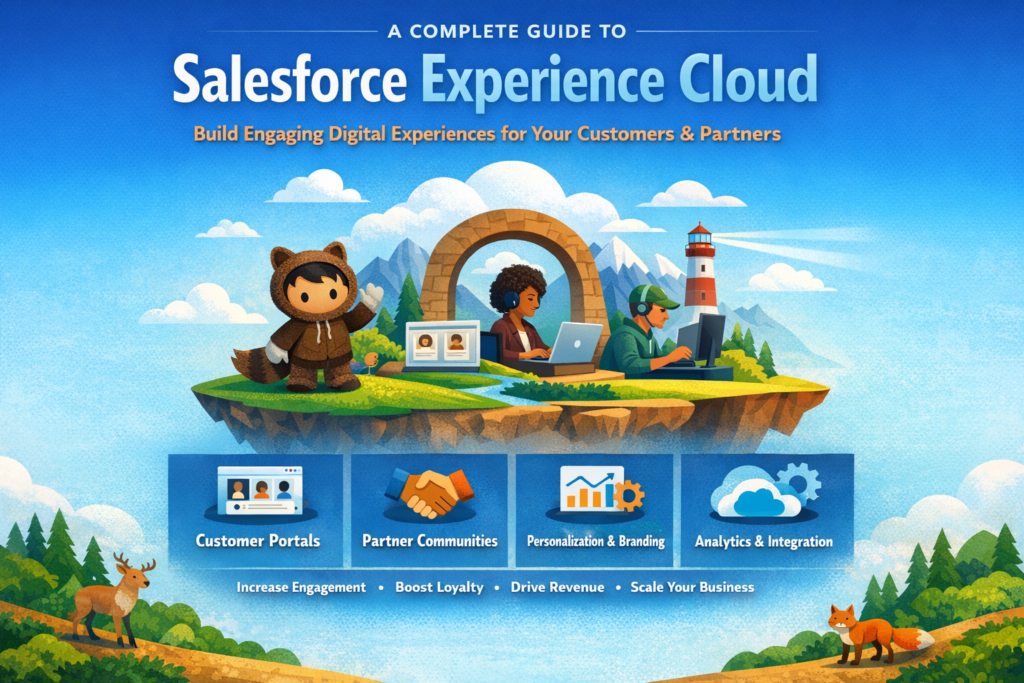
In today’s fast-moving digital world, customers don’t just want products. They want quick answers, smooth experiences, and everything in one place.
Think about your own experience. If you need to track an order, raise a complaint, or check product details, you often jump between apps, emails, and websites. This confusion leads to frustration.
This is exactly the problem Salesforce Experience Cloud solves.
Instead of scattered systems, it brings everything into one connected digital platform where customers, partners, and employees can interact easily.
Let’s understand this step by step in a simple and practical way.
What is Salesforce Experience Cloud?
Salesforce Experience Cloud (earlier known as Community Cloud) is a platform that helps businesses create:
-
Customer portals
-
Partner portals
-
Employee communities
-
Help centers and knowledge hubs
In simple terms, it is a digital gateway where users can log in and access everything they need in one place.
What users can do inside it:
-
Track orders or requests
-
Raise support cases
-
Read help articles
-
Collaborate with teams
-
Update their own information
It is built directly on Salesforce, so all data stays connected and updated in real time.
Why Experience Cloud is Important Today
Modern customers expect:
-
Instant responses
-
Personalized content
-
Self-service options
-
Consistent experience across devices
Without a unified platform, businesses face:
-
Poor customer engagement
-
Delayed responses
-
Data mismatch
-
High support costs
Experience Cloud solves all these problems by centralizing everything.
Key Features That Make Experience Cloud Powerful
Let’s explore the features in a practical way.
1. Experience Builder (No-Code Website Creation)
This is a drag-and-drop tool.
You don’t need to be a developer to create pages.
You can:
-
Design pages
-
Add components
-
Customize layouts
-
Publish quickly
This makes development faster and easier.
2. Personalization and Audience Targeting
Not every user should see the same content.
Experience Cloud allows you to:
-
Show different pages to different users
-
Display custom menus
-
Personalize dashboards
Example:
A partner sees sales data, while a customer sees support options.
3. Lead and Case Management
Users can directly interact with your business.
They can:
-
Create leads
-
Raise support cases
-
Track status
This connects directly with Salesforce Sales Cloud and Service Cloud.
4. Mobile Experience (Mobile Publisher)
You can convert your portal into a mobile app.
Benefits:
-
Better user experience
-
Push notifications
-
Easy access anytime
5. AI Integration
With Salesforce AI (Einstein), you can:
-
Suggest relevant articles
-
Automate responses
-
Guide users step by step
This improves customer experience and reduces manual work.
How Salesforce Experience Cloud Works (Step-by-Step Flow)
Let’s understand how everything works behind the scenes.
Step 1: User Login and Authentication
A user logs into the portal using credentials.
The system verifies:
-
User identity
-
Account details
-
Permissions
Single Sign-On can also be used for easy access.
Step 2: Data Security and Access Control
Not every user can see everything.
Access depends on:
-
Profiles
-
Roles
-
Permissions
This ensures users only see their own data.
Step 3: Data Interaction (Read and Write)
Users can interact with data in two ways:
Read:
-
View orders
-
Check case status
-
Read articles
Write:
-
Create new cases
-
Update personal details
-
Submit requests
All changes go directly into Salesforce.
Step 4: Real-Time Data Updates
Whenever a user performs an action:
-
Data is instantly updated in CRM
-
Internal teams can see changes immediately
This improves coordination between teams.
Step 5: Branding and Content Management
Using Experience Builder and CMS:
-
You control design and branding
-
You manage content centrally
This ensures consistent user experience.
Understanding the Architecture (Simple View)
Experience Cloud works on multiple layers:
Foundation Layer
Connected directly to Salesforce data.
Sharing and Security Layer
Controls what users can access.
Presentation Layer
UI built using Lightning Web Components or drag-and-drop tools.
Identity Layer
Manages login, authentication, and user identity.
Real Business Benefits of Experience Cloud
Let’s look at how it helps businesses in real scenarios.
1. 24/7 Self-Service Support
Customers don’t need to wait for agents.
They can:
-
Raise tickets
-
Track issues
-
Find answers instantly
This improves satisfaction and reduces support load.
2. Better Partner Collaboration
Partners can:
-
Register leads
-
Track deals
-
Access documents
This speeds up the sales process and improves productivity.
3. Reduced Operational Cost
Many repetitive tasks are handled by users themselves.
This reduces:
-
Call center workload
-
Support team pressure
-
Overall cost
4. Complete Customer View (360-Degree Data)
All interactions are stored in one place.
Teams can see:
-
Customer history
-
Previous issues
-
Purchase behavior
This helps in better decision-making.
5. Scalability and Performance
Whether you have:
-
100 users
-
1 million users
The platform can handle it smoothly.
It is built on Salesforce’s secure cloud infrastructure.
When Should Businesses Use Experience Cloud?
Businesses should consider it when they want to:
-
Improve customer experience
-
Provide self-service portals
-
Manage partner relationships
-
Reduce support costs
-
Centralize digital platforms
Real-Life Use Case
Example: Courier Company Portal
Instead of using multiple systems:
Customers can:
-
Track shipments
-
Raise complaints
-
View delivery status
All in one portal.
This improves experience and builds trust.
Best Practices for Implementation
To get the best results:
-
Keep UI simple and clean
-
Use personalization wisely
-
Set proper user permissions
-
Optimize performance
-
Test with real users
Common Challenges
-
Initial setup can take time
-
Requires proper planning
-
Customization may need development skills
But once implemented, it delivers long-term value.
Final Thoughts
Salesforce Experience Cloud is not just a tool. It is a complete digital experience platform.
It helps businesses:
-
Connect with users
-
Improve engagement
-
Deliver seamless experiences
If you want to build modern, scalable, and user-friendly portals, this is one of the best platforms available today.