
Governor Limits in Salesforce – Synchronous vs Asynchronous
Introduction
Salesforce applies different limits depending on whether the Apex code runs synchronously (real-time, e.g., trigger, class) or asynchronously (delayed execution, e.g., Future, Queueable, Batch, Schedulable).
Key Difference
Synchronous Apex → Runs in real-time, user waits for response (e.g., triggers, VF controllers).
Asynchronous Apex → Runs in background, user doesn’t wait (e.g., @future methods, Batch Apex, Queueable).
Governor Limits Comparison Table
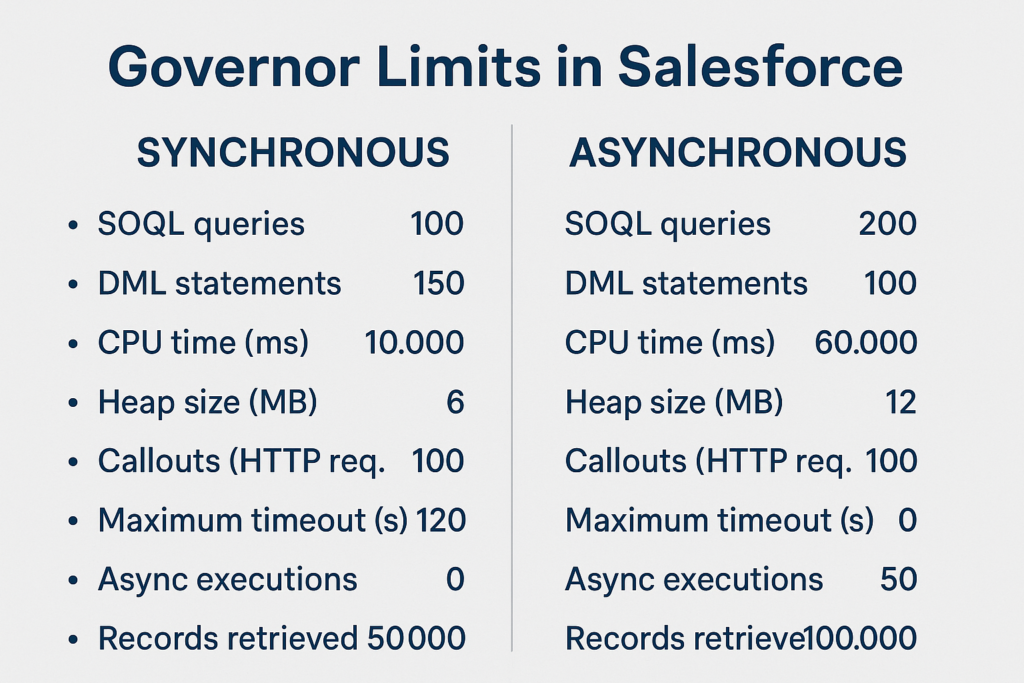
| Limit | Synchronous Apex | Asynchronous Apex (Future, Queueable, Batch, Schedulable) |
| Total SOQL Queries | 100 | 200 |
| Records retrieved by SOQL (per transaction) | 50,000 | 50,000 |
| Records retrieved by Database.getQueryLocator | 50,000 | 50 million |
| Total DML Statements | 150 | 150 |
| Records processed by DML (per transaction) | 10,000 | 10,000 |
| Maximum CPU time | 10,000 ms (10 sec) | 60,000 ms (60 sec) |
| Heap Size | 6 MB | 12 MB |
| Future method calls | 50 | 50 |
| Queueable jobs added to queue | 50 | 50 |
| Batch Apex – Records processed | N/A | 50 million |
| Batch Apex – Batch size | N/A | Up to 2,000 records per batch |
| Email (sendEmail methods) | 10 | 10 |
| Callouts (HTTP/Web Service) | 100 | 100 |
Explanation of Differences
- SOQL Queries (100 vs 200): In asynchronous execution, Salesforce allows 200 SOQL queries since background jobs often deal with bulk data.
- getQueryLocator (50k vs 50M): In synchronous code, you can only fetch 50,000 records at once. In asynchronous (like Batch Apex), you can handle 50 million records.
- CPU Time (10s vs 60s): Synchronous code must finish quickly for user experience → 10 seconds. Asynchronous gets 60 seconds since it runs in the background.
- Heap Size (6 MB vs 12 MB): Heap size (memory your code consumes) is doubled in async to allow handling larger data sets.
Best Practices
- Use Synchronous Apex for real-time operations (validations, before/after triggers).
- Use Asynchronous Apex for large data processing (batch jobs, integrations, heavy calculations).
- Always bulkify code to respect both synchronous & async limits.
- Use Queueable Apex or Batch Apex when you expect large record volumes.
Example
Imagine you want to process 1 million records:
- Synchronous Trigger/Class → Will hit SOQL (100) or CPU (10 sec) limits.
- Batch Apex (Async) → Can process up to 50 million records safely.
Conclusion
Synchronous Limits are stricter (smaller SOQL, CPU, Heap).
Asynchronous Limits are relaxed because Salesforce expects bulk & heavy operations there.
Choosing the right execution model is key to avoiding governor limit errors.
Great read! 👏
You’ve explained the differences between synchronous and asynchronous processing in Salesforce in a very clear and practical way. The real-world context and breakdown of use cases make it especially helpful for admins and developers trying to choose the right approach.
I recently explored this topic as well, covering performance considerations, governor limits, and when to use Future, Queueable, and Batch Apex in more depth.
Would love to hear your thoughts on it:
https://ayaninsights.com/guestblogs/sync-vs-async-in-salesforce/