
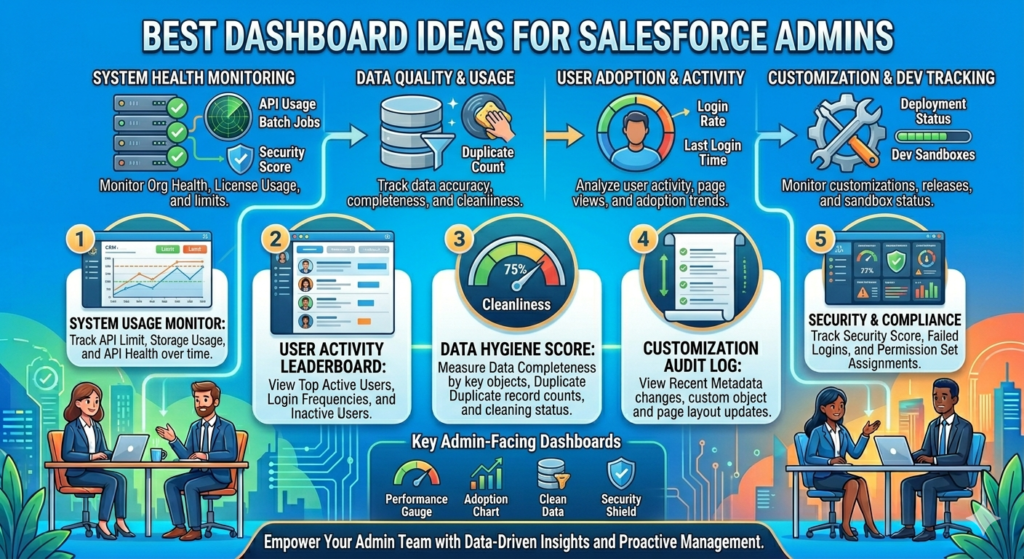
A good dashboard can completely change the way teams work in Salesforce. Instead of checking multiple reports and records every day, Salesforce admins can create dashboards that give instant visibility into business performance, user activity, sales progress, support cases, and much more.
For Salesforce admins, dashboards are not just about charts and graphs. They help teams make faster decisions, track important KPIs, and identify problems before they become bigger issues. A well-designed dashboard also makes users more confident because they can easily understand what is happening inside the system.
If you are a Salesforce Admin looking for dashboard ideas that are actually useful in real business scenarios, here are some of the best dashboard ideas you can build.
Sales Pipeline Dashboard
This is one of the most commonly used dashboards in Salesforce, and honestly, every sales team needs it. A Sales Pipeline Dashboard gives a complete overview of ongoing opportunities and potential revenue.
Admins can include components like:
- Total pipeline value
- Opportunities by stage
- Closed won vs closed lost deals
- Monthly sales trends
- Top-performing sales reps
- Expected revenue forecast
This dashboard helps sales managers quickly understand whether the team is on track to achieve targets or not.
Lead Conversion Dashboard
Leads are important for every business, but many companies struggle to track how leads are performing. A Lead Conversion Dashboard helps teams understand where leads are coming from and how many are converting into customers.
Useful metrics include:
- Total leads created
- Lead source performance
- Lead conversion percentage
- Open vs converted leads
- Response time by sales reps
This dashboard is especially useful for marketing and sales alignment because both teams can clearly see which campaigns are actually generating quality leads.
Recruiter Performance Dashboard
For recruitment agencies using Salesforce, recruiter dashboards are extremely useful. Admins can create dashboards to track recruiter activities and hiring performance.
This dashboard can include:
- Number of interviews scheduled
- Candidates submitted
- Placements completed
- Open job positions
- Recruiter-wise performance
- Average time to close positions
Managers can easily identify top performers and areas where improvement is needed.
Customer Support Dashboard
If the company uses Salesforce Service Cloud, a support dashboard becomes very important. Support teams need quick visibility into open cases and customer issues.
A Customer Support Dashboard may include:
- Open vs closed cases
- Average response time
- Case priority distribution
- Escalated cases
- SLA performance
- Agent productivity
This helps support managers improve customer service quality and ensure tickets are resolved faster.
User Adoption Dashboard
Many companies invest heavily in Salesforce, but users sometimes do not fully use the platform. A User Adoption Dashboard helps admins monitor system usage and user engagement.
Admins can track:
- Login activity
- Records created by users
- Inactive users
- Report usage
- Dashboard views
- Tasks completed
This dashboard helps identify training gaps and ensures teams are properly using Salesforce.
Marketing Campaign Dashboard
Marketing teams love dashboards because they make campaign tracking much easier. Salesforce admins can create dashboards to measure marketing performance in real time.
Key metrics may include:
- Campaign ROI
- Leads generated from campaigns
- Email open rates
- Event registrations
- Conversion from campaigns
- Cost per lead
This helps marketing teams understand which campaigns are delivering the best results.
Executive Summary Dashboard
Senior management usually does not want too many technical details. They prefer a high-level overview of business performance. That is where an Executive Dashboard becomes useful.
This dashboard can combine multiple KPIs like:
- Revenue trends
- Sales performance
- Customer satisfaction
- Open opportunities
- Top accounts
- Team productivity
Executives can quickly review business health without opening multiple reports.
Opportunity Aging Dashboard
Sometimes opportunities stay open for too long without progress. This can affect forecasting and sales productivity.
An Opportunity Aging Dashboard helps identify stalled deals by showing:
- Opportunities open for 30, 60, or 90+ days
- Deals with no recent activity
- High-value stalled opportunities
- Stage-wise aging analysis
Sales managers can use this information to take action quickly.
Service Level Agreement (SLA) Dashboard
For organizations handling customer support or managed services, SLA tracking is critical. Missing SLAs can impact customer trust and business reputation.
This dashboard helps track:
- Cases close to SLA breach
- Resolved within SLA
- Overdue cases
- Team-wise SLA performance
It allows teams to stay proactive and improve customer satisfaction.
Data Quality Dashboard
One of the hidden challenges in Salesforce is poor data quality. Duplicate records, missing fields, and outdated information can create serious reporting issues.
Admins can build dashboards to monitor:
- Duplicate records
- Missing email addresses
- Incomplete accounts
- Invalid phone numbers
- Old inactive leads
This helps maintain clean and reliable CRM data.
Tips for Building Better Salesforce Dashboards
Creating dashboards is not only about adding charts everywhere. A good dashboard should be clean, simple, and easy to understand.
Here are a few important tips:
- Focus only on important KPIs
- Avoid adding too many components
- Use meaningful chart names
- Group related metrics together
- Keep dashboards user-specific
- Schedule dashboard refresh regularly
Always think from the user’s perspective. If users cannot understand the dashboard within a few seconds, it probably needs improvement.
Final Thoughts
Dashboards are one of the most powerful features inside Salesforce. They help admins turn raw data into meaningful insights that teams can actually use in daily work.
Whether it is sales tracking, recruitment performance, customer support, or user adoption, the right dashboard can save time, improve decision-making, and increase productivity across the organization.
For Salesforce Admins, building smart dashboards is not just a technical task — it is a way to help businesses work more efficiently and make better decisions every day.