
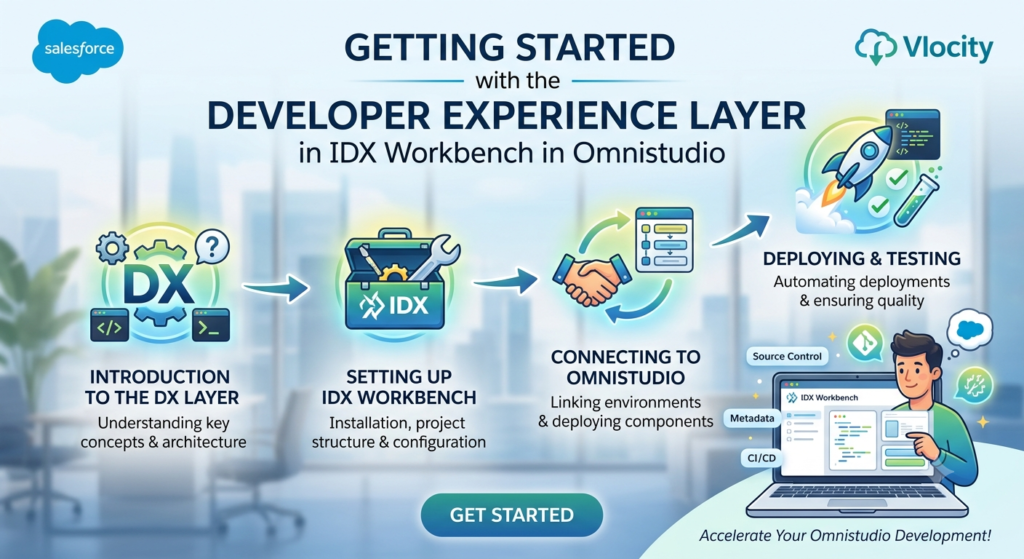
If you’re working with Salesforce OmniStudio, you’ve probably heard terms like IDX Workbench, DataPacks, and Developer Experience Layer. For beginners, these terms can sound a little technical and confusing.
The good news is that the Developer Experience Layer is designed to make a developer’s life easier.
In this blog, we’ll understand what the Developer Experience Layer is, why it’s important, and how it helps developers manage OmniStudio components more efficiently.
Let’s get started.
What is IDX Workbench?
Before understanding the Developer Experience Layer, let’s first talk about IDX Workbench.
IDX Workbench is a tool used in OmniStudio for managing and deploying OmniStudio components between Salesforce environments.
Think of it as a package manager for OmniStudio.
It helps developers:
- Export OmniStudio components
- Import components into another org
- Track changes
- Manage deployments
- Work efficiently across environments
Without IDX Workbench, moving OmniStudio components between orgs can become difficult and time-consuming.
What is the Developer Experience Layer?
The Developer Experience Layer (DX Layer) is a modern way of working with OmniStudio metadata.
Its main goal is to improve the development experience by making OmniStudio components work more like standard Salesforce metadata.
In simple words, it helps developers manage OmniStudio projects using tools and processes they already use in Salesforce development.
This makes development faster, cleaner, and easier to maintain.
Why Was the Developer Experience Layer Introduced?
In earlier OmniStudio implementations, developers often faced challenges such as:
- Large DataPack files
- Difficult source control management
- Complex deployments
- Merge conflicts in Git repositories
- Challenges working in teams
As projects grew larger, managing OmniStudio assets became harder.
The Developer Experience Layer was introduced to solve these problems and provide a better development experience.
How Does the Developer Experience Layer Help?
Let’s look at some of the biggest benefits.
1. Better Source Control Management
Most development teams use Git for version control.
When multiple developers work on the same project, tracking changes becomes very important.
The Developer Experience Layer makes OmniStudio metadata easier to store and manage in Git repositories.
This means:
- Easier code reviews
- Better collaboration
- Cleaner version history
For teams, this is a huge advantage.
2. Easier Deployment Process
Deploying OmniStudio components between environments can sometimes be challenging.
The Developer Experience Layer simplifies this process.
Developers can move components more efficiently between:
- Developer Sandbox
- QA Environment
- UAT Environment
- Production
This reduces deployment complexity and saves time.
3. Improved Team Collaboration
Imagine five developers working on the same OmniStudio project.
Without proper structure, conflicts can happen frequently.
The Developer Experience Layer helps organize metadata in a way that makes team collaboration smoother.
Developers can work independently without constantly overwriting each other’s changes.
4. Better Support for CI/CD
Modern development teams use Continuous Integration and Continuous Deployment (CI/CD).
These automated processes help teams release features quickly and safely.
The Developer Experience Layer works well with DevOps tools and CI/CD pipelines.
This makes OmniStudio development more aligned with modern software development practices.
Understanding DataPacks and DX Layer
Many beginners get confused between DataPacks and the Developer Experience Layer.
Let’s simplify it.
DataPacks
DataPacks are packages that contain OmniStudio metadata such as:
- OmniScripts
- FlexCards
- Integration Procedures
- Data Mappers
These are used to move components between environments.
Developer Experience Layer
The Developer Experience Layer improves how these components are stored and managed.
It makes metadata easier to track, compare, and deploy.
Think of it like this:
- DataPacks store the components.
- DX Layer improves the developer experience while managing them.
Both work together to simplify OmniStudio development.
Real-Life Example
Let’s say your team is building a customer onboarding application.
The project contains:
- 10 OmniScripts
- 15 FlexCards
- 8 Integration Procedures
- Several Data Mappers
Three developers are working on different features at the same time.
Without proper metadata management:
- Files may overwrite each other.
- Deployments become risky.
- Git conflicts increase.
With the Developer Experience Layer:
- Components are easier to track.
- Changes are easier to review.
- Deployments become more reliable.
This results in a smoother development process.
Common Components Managed Through IDX Workbench
Using IDX Workbench, developers can manage:
OmniScripts
Step-by-step guided user processes.
FlexCards
Interactive UI components used to display information.
Integration Procedures
Server-side services that improve performance.
Data Mappers
Tools used for data extraction, transformation, and loading.
Calculation Procedures
Components used for performing business calculations.
All of these can be managed more effectively using the Developer Experience Layer.
Best Practices for Beginners
If you’re starting with IDX Workbench and the Developer Experience Layer, keep these tips in mind:
Learn Git Basics
Understanding Git will help you manage OmniStudio projects more effectively.
Use Meaningful Naming Conventions
Clear names make components easier to identify.
Deploy Frequently
Small deployments are easier to manage than large ones.
Maintain Version Control
Always track your changes properly.
Work in Separate Branches
This reduces conflicts when working with team members.
Why Should OmniStudio Developers Learn This?
As OmniStudio projects become larger and more complex, organizations need better ways to manage development.
The Developer Experience Layer helps developers:
- Work faster
- Collaborate better
- Reduce deployment issues
- Follow modern development practices
If you’re planning to build a career in OmniStudio development, understanding IDX Workbench and the Developer Experience Layer will definitely give you an advantage.
Final Thoughts
The Developer Experience Layer is one of the most useful improvements introduced for OmniStudio developers. It simplifies metadata management, improves collaboration, and makes deployments easier.
For beginners, the most important thing to remember is that the Developer Experience Layer is designed to make OmniStudio development feel more like standard Salesforce development.
As you start working on real projects, you’ll quickly see how valuable it is for managing OmniScripts, FlexCards, Integration Procedures, and other OmniStudio components.
The sooner you become comfortable with IDX Workbench and the Developer Experience Layer, the more confident you’ll be when working on enterprise-level OmniStudio projects.