
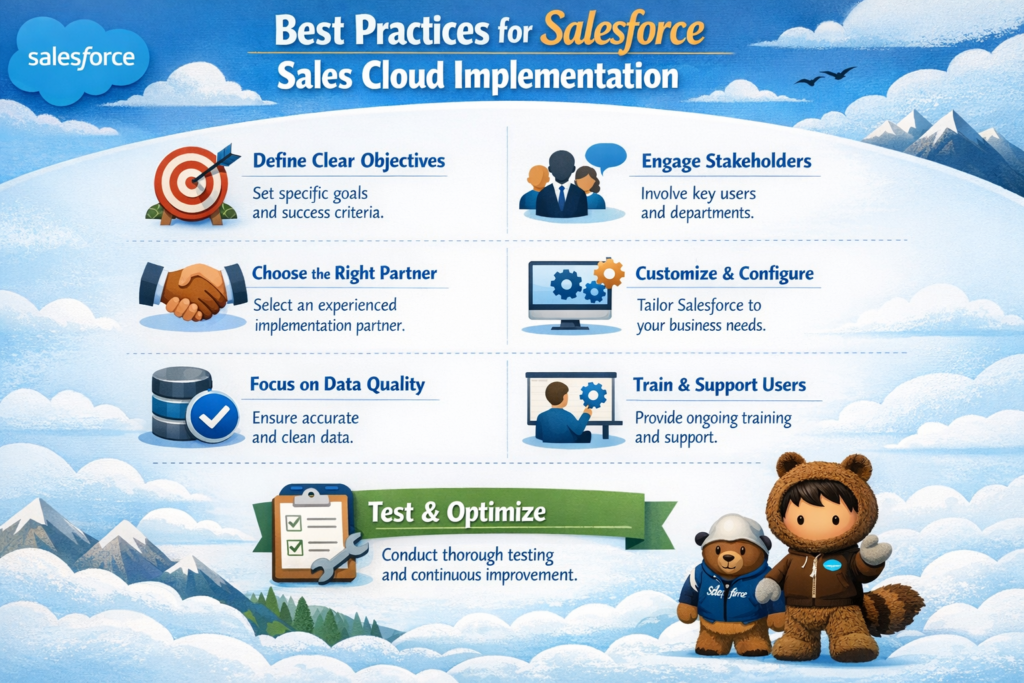
Implementing Salesforce Sales Cloud is not just about setting up a CRM. It’s about building a system that actually helps your sales team close more deals, track performance, and grow revenue.
Many companies invest in Sales Cloud but fail to get real value because they skip the planning and best practices.
In this blog, I will explain everything step by step in simple English — from planning to execution — so you can implement Sales Cloud the right way and avoid common mistakes.
What is Salesforce Sales Cloud?
Sales Cloud is a CRM platform that helps businesses manage:
- Leads
- Opportunities
- Accounts
- Contacts
- Sales processes
It gives your sales team a complete view of customers and helps automate daily tasks.
Why Following Best Practices is Important
If you don’t follow best practices:
- Your system becomes messy
- Users stop using it
- Data becomes unreliable
- Reports become useless
But when done right:
- Sales team productivity increases
- Data becomes accurate
- Decision-making improves
- ROI becomes visible
Step-by-Step Best Practices for Salesforce Sales Cloud Implementation
1. Start with Clear Business Goals
Before touching Salesforce, define:
- What problem are you solving?
- What do you want to improve?
- What success looks like?
Example goals:
- Increase conversion rate
- Improve lead tracking
- Reduce manual work
- Better sales forecasting
Pro Tip:
Don’t implement features just because Salesforce provides them. Implement only what your business actually needs.
2. Understand Your Current Sales Process
Before designing anything, map your existing process.
Ask questions like:
- How leads are generated?
- How they are qualified?
- How deals are closed?
- What tools are currently used?
Why this matters:
If you don’t understand your current process, you will build a system that no one uses.
3. Design a Simple and Scalable Data Model
Your data model is the foundation of your implementation.
Key objects to focus on:
- Leads
- Accounts
- Contacts
- Opportunities
Best practices:
- Avoid creating unnecessary custom objects
- Use standard objects wherever possible
- Keep relationships simple
Example:
Don’t create duplicate fields for the same data. It creates confusion later.
4. Customize Smartly (Avoid Over-Customization)
Salesforce is flexible, but over-customization is dangerous.
What to do:
- Use standard features first
- Add custom fields only when required
- Avoid complex logic in the beginning
What to avoid:
- Too many validation rules
- Too many custom buttons
- Overcomplicated UI
Goal:
Keep the system simple so users can adopt it easily.
5. Focus on User Experience
If users don’t like the system, they won’t use it.
Best practices:
- Design clean page layouts
- Show only important fields
- Use sections to organize data
- Reduce clicks
Example:
A sales rep should be able to update opportunity status in seconds, not minutes.
6. Automate the Right Processes
Automation is powerful, but it should be used wisely.
Automate:
- Lead assignment
- Email notifications
- Follow-up reminders
- Approval processes
Tools to use:
- Flows
- Process Builder (legacy)
- Workflow Rules (basic use cases)
Avoid:
Automating everything at once. Start small and scale gradually.
7. Maintain High Data Quality
Bad data leads to bad decisions.
Best practices:
- Use validation rules
- Use duplicate rules
- Standardize field values
Example:
If “India” is entered in 5 different ways, your reports will be incorrect.
8. Implement Proper Security and Access Control
Not everyone should see everything.
Use:
- Profiles
- Roles
- Permission Sets
Best practice:
Follow the principle of least access — give only the required permissions.
9. Use Reports and Dashboards Effectively
Salesforce is powerful when it comes to reporting.
Create:
- Sales pipeline reports
- Conversion reports
- Activity reports
Dashboards should show:
- Key KPIs
- Team performance
- Revenue forecast
Tip:
Keep reports simple and actionable.
10. Plan Data Migration Carefully
If you are moving from another system, data migration is critical.
Steps:
- Clean your data
- Map fields properly
- Test migration
- Validate results
Common mistake:
Migrating bad data into Salesforce
11. Provide Proper User Training
Even the best system fails without training.
Training should include:
- How to use Salesforce
- Why it is important
- Daily use cases
Tip:
Use real-life scenarios instead of theory.
12. Test Everything Before Go-Live
Never skip testing.
Types of testing:
- Functional testing
- User Acceptance Testing (UAT)
- Integration testing
Goal:
Ensure everything works as expected before users start using it.
13. Plan a Smooth Go-Live Strategy
Go-live should be well planned.
Steps:
- Choose a low-risk date
- Inform all users
- Provide support during initial days
Tip:
Keep a backup plan in case something goes wrong.
14. Monitor and Improve Continuously
Implementation is not the end. It’s the beginning.
After go-live:
- Collect user feedback
- Track system usage
- Fix issues quickly
Continuous improvement:
Keep enhancing based on business needs.
Common Mistakes to Avoid
1. Overcomplicating the System
Simple systems work better than complex ones.
2. Ignoring User Adoption
If users don’t use Salesforce, your implementation fails.
3. Poor Data Quality
Garbage data leads to wrong decisions.
4. No Clear Ownership
Always assign someone responsible for managing Salesforce.
Pro Tips for Successful Implementation
- Start small, then scale
- Focus on business value, not features
- Keep UI clean and simple
- Use automation wisely
- Invest in training
Conclusion
Implementing Salesforce Sales Cloud the right way can completely transform your sales process.
It helps you:
- Improve visibility
- Increase productivity
- Close deals faster
- Make better decisions
But success depends on how well you plan and execute.
If you follow these best practices step by step, you will not just implement Salesforce — you will build a system that your sales team actually loves to use.
Final Thought
Salesforce is a powerful tool, but it’s only as good as how you implement it.
Focus on simplicity, clarity, and user experience — and your Sales Cloud implementation will deliver real results.