
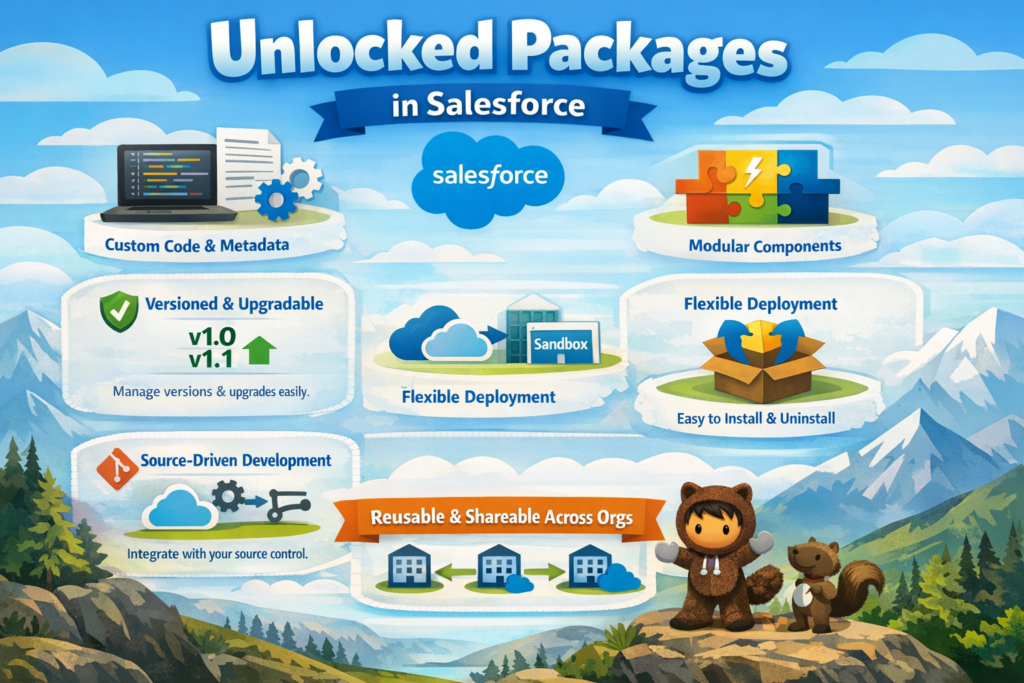
Salesforce development has evolved significantly over the years. Earlier, most teams relied on Change Sets or the Ant Migration Tool to move components between environments. Later, Managed Packages became popular, especially for ISVs.
Today, Salesforce recommends Unlocked Packages as a modern and flexible approach for application development and deployment.
What Are Unlocked Packages in Salesforce?
An Unlocked Package is a way to group Salesforce components such as:
-
Apex classes
-
Triggers
-
Lightning Web Components
-
Flows
-
Custom objects
-
Permission sets
These components can be deployed together across multiple Salesforce orgs.
The key difference is that components inside an unlocked package can be edited even after installation, which makes them ideal for internal development teams.
Why Salesforce Introduced Unlocked Packages
Salesforce introduced unlocked packages to support:
-
Agile development practices
-
Source-driven development
-
CI/CD pipelines
-
Faster and more reliable deployments
Traditional deployment tools like Change Sets are manual and slow. Managed Packages are too restrictive for internal teams. Unlocked Packages provide the balance between control and flexibility.
Key Features of Unlocked Packages
Fully Editable After Installation
Developers can modify Apex code, LWCs, and metadata directly in the org after installing the package.
Source-Driven Development
Unlocked packages work seamlessly with Git, Salesforce CLI, and VS Code, keeping the source code as the single source of truth.
Version Control
Each version of an unlocked package is tracked, making upgrades, rollbacks, and bug fixes easier to manage.
CI/CD Friendly
Unlocked packages integrate well with modern DevOps tools like Jenkins, GitHub Actions, GitLab, and Azure DevOps.
Namespace Is Optional
Unlocked packages generally do not require a namespace, simplifying development and maintenance.
Unlocked Package vs Managed Package
| Feature | Unlocked Package | Managed Package |
|---|---|---|
| Editable after install | Yes | No |
| Primary use | Internal teams | AppExchange ISVs |
| Namespace required | Optional | Mandatory |
| Upgrade flexibility | High | Limited |
| Component protection | No | Yes |
Unlocked packages are not designed for AppExchange distribution. They are intended for internal Salesforce projects.
Unlocked Packages vs Change Sets
| Area | Unlocked Packages | Change Sets |
|---|---|---|
| Automation | Yes | No |
| Version control | Yes | No |
| Rollback | Easy | Difficult |
| Suitable for large teams | Yes | No |
| DevOps support | Yes | No |
When Should You Use Unlocked Packages?
Unlocked packages should be used when:
-
Multiple environments exist, such as Dev, QA, UAT, and Production
-
Teams use Git for source control
-
Multiple developers work on the same codebase
-
Automated deployment is required
-
Long-term scalability is a priority
Typical Structure of an Unlocked Package
Unlocked packages are usually built around a specific feature or module, such as:
-
Account automation
-
Case management
-
Integration services
This modular design improves code organization and maintainability.
Simple Example
An unlocked package can contain all Account-related components such as triggers, helper classes, and LWCs. This package can then be deployed across environments in a controlled and repeatable way.
Advantages of Unlocked Packages
-
Faster and consistent deployments
-
Better collaboration between teams
-
Cleaner architecture
-
Easier rollback and version control
-
Reduced manual errors
-
Scalable for enterprise implementations
Common Mistakes to Avoid
-
Creating very large packages with unrelated components
-
Ignoring dependency management
-
Not using source control
-
Deploying without proper testing
-
Mixing multiple features in a single package
Best Practices
-
Keep packages small and focused
-
Use one package per feature or module
-
Always deploy using versioned packages
-
Maintain all source code in Git
-
Automate testing and validation
-
Clearly document the purpose of each package
Are Unlocked Packages the Future of Salesforce Development?
Yes. Salesforce actively recommends unlocked packages for modern development, especially for enterprises and large teams adopting DevOps and CI/CD.
Unlocked packages are not just a deployment tool; they represent a structured and scalable development approach.
Final Thoughts
Unlocked Packages simplify Salesforce development by making deployments faster, cleaner, and more reliable.
For Salesforce Developers and Architects, understanding unlocked packages is now a core skill. They help build solutions that are scalable, maintainable, and ready for long-term growth.