
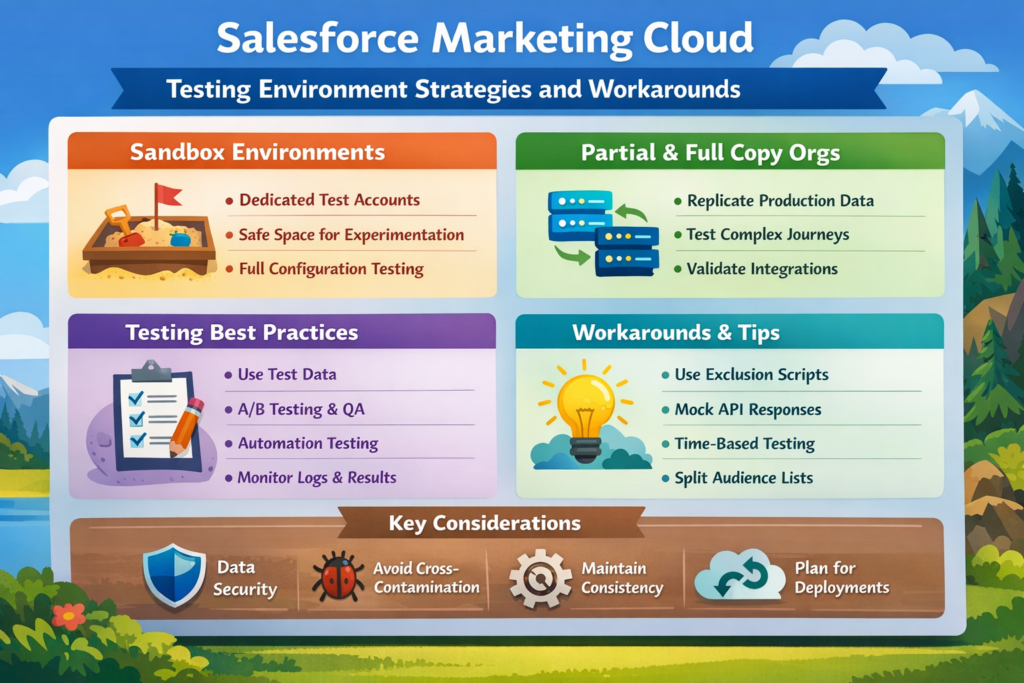
If you have worked on Salesforce Marketing Cloud, you already know one hard truth:
👉 Testing in Marketing Cloud is not as simple as Sales Cloud or Service Cloud.
There is no “sandbox” button that magically gives you a full testing environment.
And that’s where most teams struggle — especially when emails, journeys, and automations are already live.
In this blog, we’ll talk about:
-
Why testing is difficult in Marketing Cloud
-
What testing options Salesforce actually provides
-
Practical testing strategies used in real projects
-
Smart workarounds when a proper test environment is not available
This blog is written in simple English, so even if you’re new to Marketing Cloud, you’ll understand it easily.
Why Testing Is Tricky in Salesforce Marketing Cloud
In core Salesforce, we have sandboxes for development and testing.
But Marketing Cloud works differently.
Marketing Cloud is:
-
Data-heavy
-
Email and journey driven
-
Closely connected to production subscribers
One wrong test email can:
-
Go to real customers
-
Trigger journeys incorrectly
-
Damage brand trust
That’s why testing needs extra care.
Does Salesforce Marketing Cloud Have a Sandbox?
Short answer: Not like Sales Cloud.
Salesforce Marketing Cloud provides something called:
👉 Marketing Cloud Test Business Unit (Test BU)
But it comes with limitations.
What a Test Business Unit Can Do
-
Create and test emails
-
Build journeys
-
Test automations
-
Validate AMPscript and personalization
What It Cannot Do Easily
-
Sync real production data
-
Copy everything automatically from prod
-
Fully replicate real-world scenarios
So yes, a Test BU helps — but it’s not a full sandbox.
Common Testing Challenges in Marketing Cloud Projects
Before jumping into solutions, let’s understand common pain points:
-
No direct sandbox refresh like Salesforce CRM
-
Risk of sending emails to real subscribers
-
Journey testing without triggering production data
-
AMPscript behaving differently with test data
-
Automation testing without impacting live processes
These are real issues faced by teams daily.
Strategy 1: Using Separate Business Units for Testing
The most common and safest approach is:
✅ Separate Business Units (BUs)
How This Works
-
One BU for Production
-
One BU for Testing / QA
-
Optional BU for Development
Each BU has:
-
Its own subscribers
-
Its own journeys
-
Its own automations
Best Practice
-
Never connect Production Data Extensions to Test BU
-
Keep test subscribers clearly marked (example: test_@company.com)
This setup reduces risk significantly.
Strategy 2: Using Test Data Extensions
Never test with real customer data.
What to Do Instead
-
Create Test Data Extensions
-
Add dummy email IDs (your team emails)
-
Include all possible edge cases
Example:
-
Missing first name
-
Invalid phone numbers
-
Different locales
This helps you test personalization and fallback logic safely.
Strategy 3: Email Testing Without Risk
Before sending any email, always test in stages.
Step-by-Step Email Testing
-
Use Preview Mode
-
Send Test Sends to internal users
-
Validate personalization and AMPscript
-
Check links, images, and unsubscribe
Pro Tip
Always use:
-
Dynamic subject line fallback
-
Default values in AMPscript
This avoids broken emails in production.
Strategy 4: Journey Builder Testing Techniques
Journey Builder is powerful — and dangerous if tested incorrectly.
Safe Journey Testing Tips
-
Use Entry Source Filter (only test records)
-
Pause the journey before activation
-
Start with “Test Mode” wherever possible
Smart Trick
Add a condition at journey entry:
Email contains “@test.com”
This ensures real users never enter test journeys.
Strategy 5: Automation Studio Testing
Automations often run silently in the background.
Best Practices
-
Clone automations for testing
-
Run them manually first
-
Validate output Data Extensions
Never test automations directly on production data.
Strategy 6: AMPscript & Personalization Testing
AMPscript issues are one of the biggest causes of broken emails.
How to Test AMPscript Safely
-
Use Preview with multiple subscriber records
-
Test with missing and incorrect data
-
Always use
DefaultValue()
Example mindset:
“What if this field is blank?”
If you think like this, your emails won’t break.
Strategy 7: Integration Testing with Salesforce CRM
When Marketing Cloud is connected to Salesforce CRM:
-
Test syncs in lower CRM environments
-
Use test Contact/Lead records
-
Validate triggered sends carefully
Never test triggered sends with real CRM users.
When You Don’t Have a Proper Test Environment (Workarounds)
Many teams don’t have budget for extra BUs.
Here are practical workarounds used in real projects:
Workaround 1: Naming Conventions
-
Prefix everything with
TEST_ -
Example:
TEST_Journey_Welcome
Workaround 2: Time-Based Testing
-
Schedule tests during low-traffic hours
-
Pause immediately after validation
Workaround 3: Access Control
-
Restrict send permissions
-
Only senior users can send emails
These small steps prevent big mistakes.
Final Thoughts
Salesforce Marketing Cloud testing is not perfect — but it can be controlled.
With:
-
Proper Business Unit strategy
-
Clean test data
-
Careful journey and email validation
-
Smart workarounds
You can confidently test without impacting real customers.