
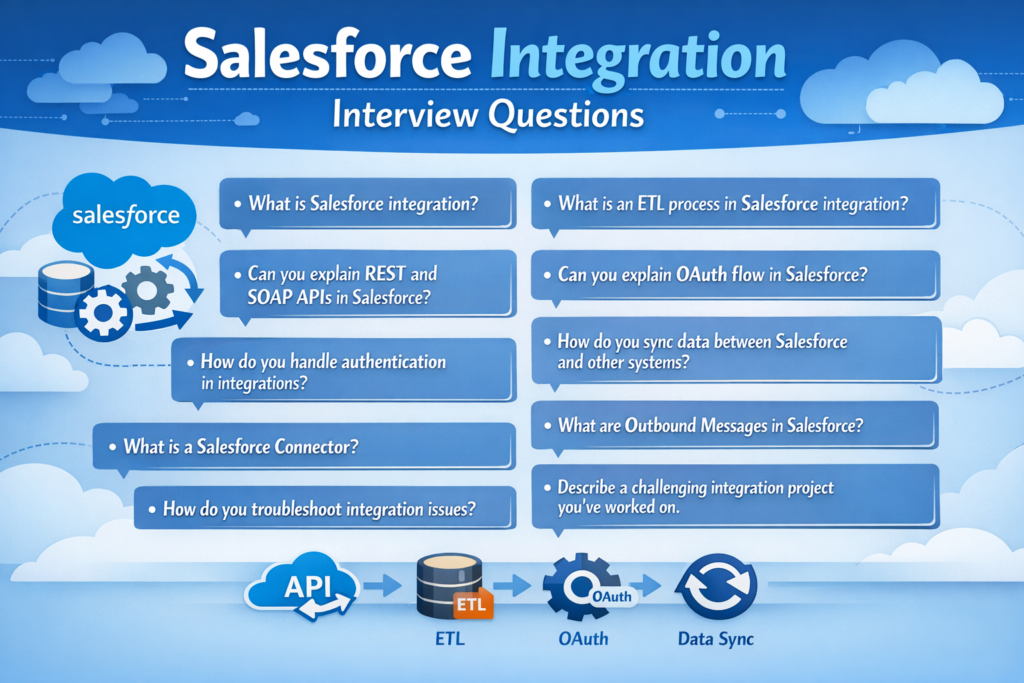
Preparing for a Salesforce Integration interview?
Integration is one of the most important and high-demand skills in the Salesforce ecosystem. Whether you’re a Salesforce Developer, Integration Specialist, or Technical Architect, you must clearly understand APIs, authentication, patterns, and middleware concepts.
In this detailed guide, I’ll explain every commonly asked Salesforce Integration Interview Question in simple English — step by step — so you can confidently answer them in interviews.
Let’s begin.
1. What is Integration?
Integration means connecting two or more systems so they can share data and communicate with each other.
Example:
-
Salesforce connected to ERP
-
Salesforce connected to Payment Gateway
-
Salesforce connected to Marketing Automation tool
In simple words:
Integration allows different applications to work together.
2. What Are Web Services?
Web services are APIs that allow systems to communicate over the internet.
They usually use:
-
HTTP protocol
-
XML or JSON format
There are two main types:
-
REST Web Services
-
SOAP Web Services
3. What Is the Difference Between JSON and XML?
| Feature | JSON | XML |
|---|---|---|
| Format | Lightweight | Heavy |
| Readability | Easy | Verbose |
| Used in | REST APIs | SOAP APIs |
| Parsing | Faster | Slower |
JSON is modern and preferred for REST APIs.
XML is commonly used in SOAP-based services.
4. What Is REST API?
REST (Representational State Transfer) API is a lightweight web service that uses:
-
HTTP methods (GET, POST, PUT, DELETE)
-
JSON format
Salesforce provides a REST API for data operations.
It is simple, fast, and widely used.
5. What Is SOAP API?
SOAP (Simple Object Access Protocol) is a protocol-based web service.
-
Uses XML format
-
Follows strict standards
-
Requires WSDL file
It is more structured but heavier than REST.
6. Difference Between SOAP and REST
| Feature | SOAP | REST |
|---|---|---|
| Format | XML only | JSON/XML |
| Speed | Slower | Faster |
| Structure | Strict | Flexible |
| Security | High | Moderate |
| Complexity | Complex | Simple |
REST is more commonly used today.
7. What Integration Options Are Available in Salesforce?
Salesforce supports many integration methods:
-
REST API
-
SOAP API
-
Bulk API
-
Streaming API
-
Platform Events
-
Change Data Capture
-
Outbound Messages
-
External Services
-
Salesforce Connect
Each method depends on your use case.
8. What Is WSDL?
WSDL stands for Web Services Description Language.
It is an XML file that describes:
-
Service endpoint
-
Methods available
-
Input/output structure
It is used mainly in SOAP integrations.
9. What Is SoapUI?
SoapUI is a tool used to test SOAP and REST APIs.
Developers use it to:
-
Test WSDL
-
Validate responses
-
Debug integrations
10. Difference Between Enterprise WSDL and Partner WSDL
Enterprise WSDL:
-
Strongly typed
-
Specific to one Salesforce org
-
Schema fixed
Partner WSDL:
-
Loosely typed
-
Dynamic
-
Can work with multiple orgs
Enterprise WSDL is simpler.
Partner WSDL is more flexible.
11. What Is an Integration Pattern?
An integration pattern is a design approach that defines how systems communicate.
It helps solve:
-
Data sync
-
Real-time communication
-
Batch processing
-
Event-driven messaging
12. Types of Integration Patterns in Salesforce
Common patterns include:
-
Remote Process Invocation (Request-Reply)
-
Fire and Forget
-
Batch Data Synchronization
-
Remote Call-In
-
Event-Driven Architecture
Choosing the right pattern depends on business needs.
13. What Is Remote Site Settings?
Remote Site Settings allow Salesforce to make callouts to external systems.
Without adding the endpoint URL in Remote Site Settings, Salesforce blocks the callout for security reasons.
14. What Is a Connected App?
A Connected App allows external applications to connect to Salesforce using APIs.
It manages:
-
OAuth settings
-
API access permissions
-
Callback URLs
Connected Apps are required for OAuth authentication.
15. What Is OAuth?
OAuth is an authentication protocol.
It allows:
Users to grant access to applications without sharing passwords.
It uses:
-
Access token
-
Refresh token
16. OAuth 2.0 Flows in Salesforce
Salesforce supports multiple OAuth flows:
-
Authorization Code Flow
-
Username-Password Flow
-
JWT Bearer Flow
-
Web Server Flow
-
Device Flow
Each flow is used based on use case.
17. What Is JWT Flow in Salesforce?
JWT (JSON Web Token) flow is used for server-to-server integration.
It:
-
Uses digital signature
-
No user interaction required
-
More secure than username-password flow
Commonly used in backend integrations.
18. What Is Web Server Flow?
Web Server Flow is used when:
-
User logs into external app
-
Redirects to Salesforce login
-
Returns with authorization code
Used in web applications.
19. What Is Named Credentials?
Named Credentials store:
-
Endpoint URL
-
Authentication details
Benefits:
-
No hardcoded credentials in Apex
-
Secure
-
Easy maintenance
Highly recommended for callouts.
20. What Is OpenID Connect?
OpenID Connect is built on top of OAuth 2.0.
OAuth = Authorization
OpenID Connect = Authentication
It verifies user identity.
21. Difference Between OpenID and OAuth
OAuth:
-
Grants access
-
No identity confirmation
OpenID:
-
Authenticates user identity
22. What Is Streaming API?
Streaming API allows real-time notifications.
It supports:
-
PushTopic
-
Generic Events
-
Platform Events
-
Change Data Capture
Used for real-time data updates.
23. What Is Change Data Capture?
Change Data Capture (CDC) sends event notifications whenever:
-
Record is created
-
Updated
-
Deleted
Used for real-time data synchronization.
24. What Is Tooling API?
Tooling API is used to manage Salesforce metadata programmatically.
Example:
You can retrieve Apex classes or validation rules.
I used Tooling API to fetch Apex code dynamically for deployment validation.
25. What Is Salesforce Connect?
Salesforce Connect allows real-time access to external data without storing it in Salesforce.
Uses:
-
External Objects
-
OData protocol
Best for large external datasets.
26. What Are REST API Composite Resources?
Composite resources allow:
-
Multiple REST API calls
-
In one single request
Improves performance and reduces API calls.
27. Difference Between API Gateway and ESB
API Gateway:
-
Manages API traffic
-
Security, throttling
-
Request routing
ESB (Enterprise Service Bus):
-
Complex message transformation
-
Orchestration
-
Enterprise-level integration
28. What Is API Gateway?
API Gateway acts as a front door for APIs.
It:
-
Handles authentication
-
Controls traffic
-
Monitors usage
Example: Rate limiting APIs.
29. What Is Middleware (App Glue) in Enterprise Context?
Middleware connects multiple systems.
Examples:
-
MuleSoft
-
Dell Boomi
-
Informatica
It handles:
-
Data transformation
-
Routing
-
Orchestration
-
Error handling
In large enterprises, middleware is critical for scalable architecture.
Final Interview Tips
When answering integration questions:
-
Explain in simple language
-
Give real project example
-
Mention use case
-
Highlight security considerations
-
Discuss error handling
Integration interviews test your architectural thinking, not just definitions.