
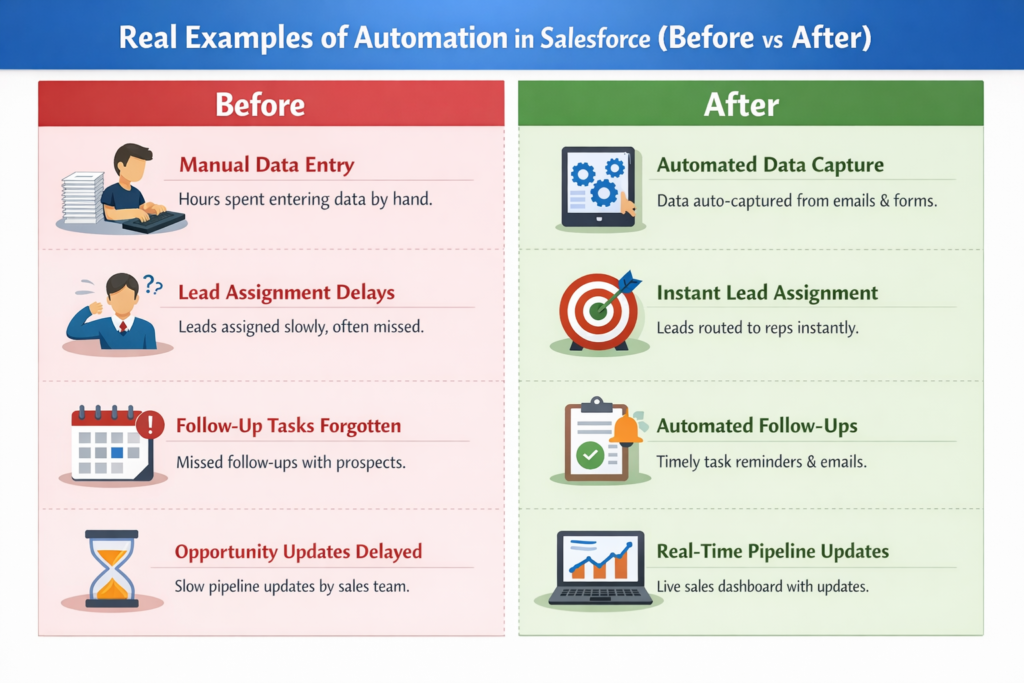
Real Examples of Automation in Salesforce (Before vs After)

Real Examples of Automation in Salesforce (Before vs After)

Automation in Salesforce is not magic.
It’s just smart logic written once so users don’t repeat the same work again and again.

Let’s see real business problems, how they worked before automation, and how we solve them after automation using code and Flow.


1. Lead Assignment Automation

🔴 Before Automation
  • Leads come from Website / Ads

  • Manager manually assigns leads

  • Delay = lost customer


🟢 After Automation (Using Record-Triggered Flow)
Flow Logic (No Code)
When Lead is Created

Check Lead.Country

If Country = India → Assign to India Queue
Else → Assign to Global Queue

Same Use Case Using Apex Trigger
trigger LeadAssignmentTrigger on Lead (before insert) {
for (Lead ld : Trigger.new) {
if (ld.Country == 'India') {
ld.OwnerId = '00GxxxxxxxxIndiaQueueId';
} else {
ld.OwnerId = '00GxxxxxxxxGlobalQueueId';
}
}
}

Result

  • Instant assignment

  • No manual effort

  • Faster lead response


2. Automatic Follow-Up Task Creation

🔴 Before Automation

Sales reps:

  • Forget follow-ups

  • Miss calls

  • Lose deals


🟢 After Automation (Flow + Apex)
Flow Logic
When Lead Status changes to "Contacted"

Create Task
- Subject: Follow up
- Due Date: Today + 2 Days
- Assigned To: Lead Owner

Apex Example
public class FollowUpTaskHandler {
public static void createTask(List<Lead> leads) {
List<Task> taskList = new List<Task>();

for (Lead ld : leads) {
if (ld.Status == 'Contacted') {
Task t = new Task();
t.Subject = 'Follow-up Call';
t.WhatId = ld.Id;
t.OwnerId = ld.OwnerId;
t.ActivityDate = Date.today().addDays(2);
taskList.add(t);
}
}
insert taskList;
}
}

🔥 Impact

  • No missed follow-ups

  • Sales team becomes disciplined automatically


3. Opportunity Stage Automation

🔴 Before Automation
  • Sales reps forget to update stages

  • Pipeline reports are wrong


🟢 After Automation
Flow Rule
If Opportunity.Stage = Closed Won

Set Close Date = Today

Send email to Finance Team

Apex Example
trigger OpportunityAutomation on Opportunity (before update) {
for (Opportunity opp : Trigger.new) {
Opportunity oldOpp = Trigger.oldMap.get(opp.Id);

if (opp.StageName == 'Closed Won' && oldOpp.StageName != 'Closed Won') {
opp.CloseDate = Date.today();
}
}
}

📊 Result

  • Clean pipeline

  • Accurate forecasting


4. Email Notification Automation

🔴 Before Automation
  • Manual emails

  • Delayed communication


🟢 After Automation (Apex Email)
Messaging.SingleEmailMessage mail = new Messaging.SingleEmailMessage();
mail.setToAddresses(new String[] {'finance@company.com'});
mail.setSubject('Deal Closed Successfully');
mail.setPlainTextBody('A new deal has been closed. Please proceed.');
Messaging.sendEmail(new Messaging.SingleEmailMessage[] { mail });

📧 Result

  • Instant communication

  • No dependency on users


5. Case Assignment Automation

🔴 Before Automation
  • Support cases manually assigned

  • High priority cases ignored


🟢 After Automation
Flow Logic
When Case is Created

If Priority = High
→ Assign to Senior Support Queue
→ Send alert to Manager

Apex Example
trigger CaseAssignmentTrigger on Case (before insert) {
for (Case c : Trigger.new) {
if (c.Priority == 'High') {
c.OwnerId = '00GxxxxHighPriorityQueue';
}
}
}

🎯 Result

  • Faster resolution

  • Happy customers


6. Data Validation Automation

🔴 Before Automation
  • Users save incomplete data

  • Reports become useless


🟢 After Automation (Validation Rule)
AND(
ISPICKVAL(StageName, 'Closed Won'),
ISBLANK(Amount)
)

🧹 Result

  • Clean data

  • Reliable reports


7. Approval Process Automation

🔴 Before Automation
  • Approvals on email / WhatsApp

  • No tracking


🟢 After Automation
Approval Rule
If Opportunity Amount > 1,00,000

Send Approval to Sales Manager

Apex Submission Example
Approval.ProcessSubmitRequest req = new Approval.ProcessSubmitRequest();
req.setObjectId(opp.Id);
Approval.process(req);

📑 Result

  • Clear approval history

  • Faster decisions


Final Thought: Automation = Smart Work

Automation does NOT replace people.
It replaces:

  • Repetitive clicks

  • Manual errors

  • Forgetfulness

If your Salesforce users are doing the same steps every day, that’s a perfect place to automate.

Leave a Comment

Your email address will not be published. Required fields are marked *