
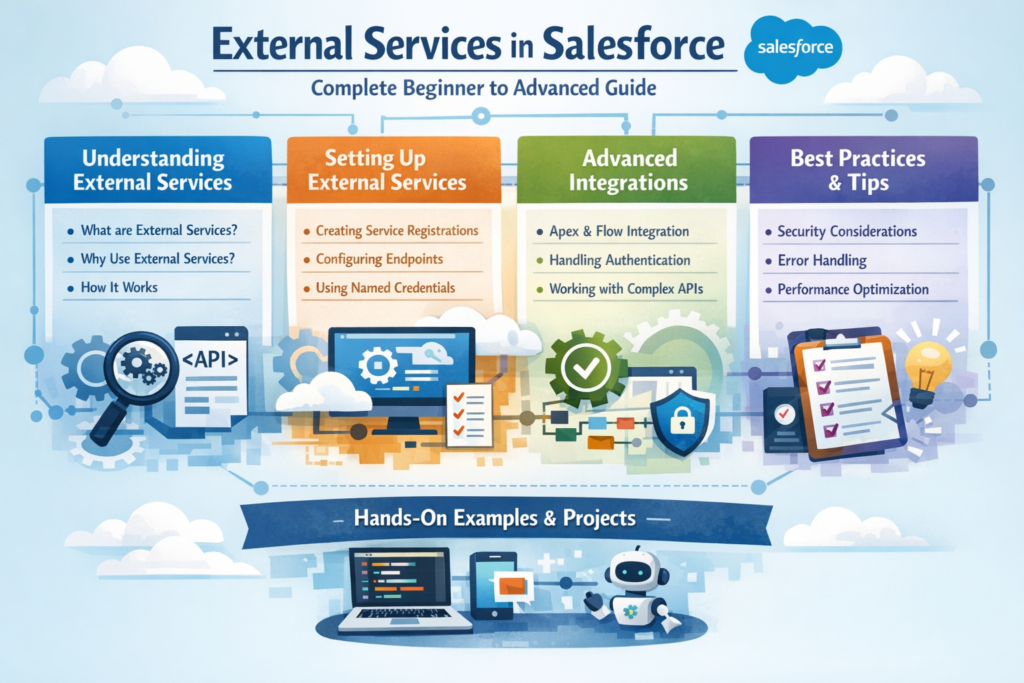
If you are working in Salesforce and dealing with integrations, you have probably heard about External Services.
But many professionals still feel confused:
-
What exactly are External Services?
-
How are they different from APIs?
-
When should we use them?
-
Do we need coding knowledge?
In this detailed guide, I will explain External Services in Salesforce step by step in simple English — so even if you are new to integrations, you’ll understand it clearly.
Let’s start from the basics.
What Are External Services in Salesforce?
External Services allow Salesforce to connect with external systems using APIs — without writing complex Apex code.
In simple words:
Instead of writing custom integration code, you can register an external API and use it directly inside Flow.
This feature is part of the Salesforce integration ecosystem and works closely with:
-
Salesforce Flow
-
Apex
External Services make integrations more declarative (low-code) instead of fully programmatic.
Why Were External Services Introduced?
Before External Services:
-
Developers had to write Apex callouts.
-
Handle authentication manually.
-
Parse JSON responses.
-
Manage error handling.
This required strong coding skills.
With External Services:
-
Admins and Developers can register an OpenAPI specification.
-
Salesforce automatically generates actions.
-
These actions can be used directly in Flow.
It reduces development time and dependency on heavy coding.
How External Services Work (Step by Step)
Let’s understand the flow clearly.
Step 1: External System Exposes an API
Your external system (for example, Payment Gateway, Shipping System, ERP) must provide:
-
A REST API
-
OpenAPI specification (Swagger file)
This file defines:
-
Endpoints
-
Request structure
-
Response structure
-
Authentication type
Step 2: Create a Named Credential
In Salesforce:
You configure authentication using Named Credentials.
This stores:
-
Endpoint URL
-
Authentication details (OAuth, API Key, etc.)
Named Credentials ensure secure communication.
Step 3: Register External Service
Now you upload the OpenAPI specification inside Salesforce.
Salesforce reads it and automatically:
-
Creates Apex-defined types
-
Generates actions
-
Makes them available in Flow
No manual coding required.
Step 4: Use in Flow
Now go to Flow Builder.
You will see new External Service Actions available.
You can:
-
Drag and drop the action
-
Map input parameters
-
Capture response values
-
Use response in further automation
Everything is declarative.
Real-World Example of External Services
Let’s take a simple scenario.
Scenario:
When Opportunity is Closed Won → Send data to external Billing System.
Without External Services:
-
Write Apex callout
-
Create wrapper classes
-
Parse response
-
Handle exceptions
With External Services:
-
Register Billing API
-
Use Flow
-
Map Opportunity fields
-
Send data automatically
Much faster and cleaner.
When Should You Use External Services?
External Services are best when:
-
You want low-code integration.
-
Admins should manage integrations.
-
API structure is stable.
-
You want quick implementation.
-
You want integration inside Flow.
When NOT to Use External Services?
Avoid External Services when:
-
API is very complex.
-
Heavy transformation logic is required.
-
Advanced retry/error handling is needed.
-
High-volume batch processing is involved.
In such cases, using Apex callouts or middleware might be better.
External Services vs Apex Callouts
Let’s simplify the comparison.
| Feature | External Services | Apex Callouts |
|---|---|---|
| Coding Required | Minimal | Full coding |
| Setup Time | Faster | Longer |
| Flexibility | Moderate | High |
| Best For | Standard APIs | Complex logic |
| Admin Friendly | Yes | No |
If your requirement is simple and API-ready, External Services are a great choice.
Benefits of Using External Services
Here are the main advantages:
1. Low-Code Integration
Admins can manage integration through Flow.
2. Faster Development
No need to write wrapper classes.
3. Better Maintainability
Changes in Flow are easier than modifying Apex.
4. Secure Authentication
Works smoothly with Named Credentials.
5. Improved Scalability
Encourages structured API-based architecture.
Common Mistakes to Avoid
-
Uploading incorrect OpenAPI specification.
-
Not testing API in Postman before registering.
-
Ignoring authentication setup.
-
Using it for extremely complex use cases.
-
Not handling API error responses properly in Flow.
Always test end-to-end before going live.
External Services and Modern Salesforce Architecture
As Salesforce moves toward:
-
Low-code automation
-
API-first design
-
Event-driven systems
-
AI-powered workflows
External Services play an important role in integration strategy.
They help bridge Salesforce with:
-
Payment platforms
-
ERP systems
-
Logistics providers
-
Marketing tools
-
Data platforms
All without heavy backend development.
Is External Services Good for Career Growth?
Yes.
If you want to move toward:
-
Salesforce Integration Specialist
-
Technical Architect
-
Automation Consultant
Understanding External Services gives you strong architecture knowledge.
It shows you understand API-driven design, not just basic customization.
SEO Keywords You Should Know
If you are learning or writing about this topic, focus on:
-
External Services in Salesforce
-
Salesforce API Integration
-
Named Credentials Salesforce
-
Salesforce Flow Integration
-
Low-Code Salesforce Integration
-
Salesforce REST API Setup
These are high-search topics in the ecosystem.
Final Thoughts
External Services in Salesforce simplify integrations by reducing the need for custom coding.
If your goal is:
-
Faster implementation
-
Clean architecture
-
Admin-friendly automation
Then External Services are worth exploring.