
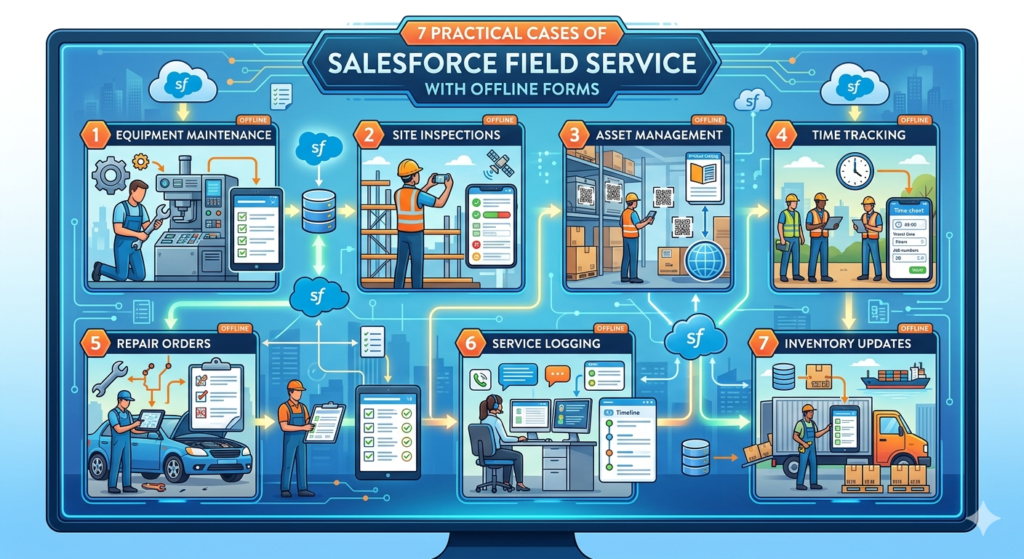
If you’ve ever worked with field teams, you already know one thing — real-world conditions are very different from what we design on screens. Everything looks perfect in a system until a technician reaches a remote site and suddenly… no network. No data access. No updates. Work gets delayed, and sometimes even lost.
This is exactly where offline capability in Salesforce Field Service quietly becomes one of the most powerful features.
Offline forms are not just a “backup option.” In many industries, they are the primary way technicians get their work done. Let’s go beyond theory and look at how this actually works in real-life scenarios.
1. Equipment Installation in Remote Areas
Think about industries like solar, telecom, or heavy machinery. Installations rarely happen in places with strong internet. Technicians often travel miles away from cities to complete a single job.
In such cases, offline forms allow them to continue working without interruption. They can fill installation details, capture site images, and even take customer approvals — all without needing a network.
Once they’re back online, everything syncs automatically. No rework, no manual entry later.
What this really changes is the confidence of the technician. They don’t have to worry about “saving things later.” The work gets done in one go, the way it should.
2. Preventive Maintenance That Actually Gets Followed
On paper, preventive maintenance sounds simple — just follow a checklist. But in reality, when technicians are in a hurry or systems lag due to poor connectivity, steps often get skipped.
Offline forms solve this problem in a very practical way. The checklist is already available on the device, and technicians can complete each step without depending on the internet.
You can even design forms in such a way that certain fields are mandatory, so nothing important gets missed.
Over time, this creates a habit of doing things properly, not just quickly. And that’s where businesses start seeing fewer breakdowns and better equipment performance.
3. Real-Time Issue Reporting Without Waiting
When something goes wrong on-site, the worst thing is delay. If a technician has to wait for connectivity just to log an issue, valuable time is lost.
With offline forms, they can immediately record what they see — add notes, attach photos, and document the problem in detail.
This might seem like a small thing, but it makes a big difference. When the data syncs later, backend teams already have a clear picture of the issue. There’s no back-and-forth, no guesswork.
It turns reactive support into something much more structured and efficient.
4. Customer Sign-Off Without Awkward Delays
We’ve all seen this situation — the job is done, the customer is ready to leave, but the system is stuck loading because of poor internet.
Offline forms remove that awkward moment completely.
Technicians can capture digital signatures, collect feedback, and close the job right there. No waiting, no follow-ups later asking for confirmation.
It also leaves a better impression on the customer. The process feels smooth, professional, and reliable — exactly what service teams aim for.
5. Managing Spare Parts Without Guesswork
Inventory tracking becomes messy very quickly when updates are delayed. A technician might use a part, but if it’s not recorded immediately, the system shows incorrect stock levels.
Offline forms allow technicians to log every part they use, even without connectivity. The data gets stored locally and syncs later.
This simple capability brings a lot of clarity. Managers get accurate inventory data, planning improves, and there are fewer surprises when stock runs low.
It’s not just about tracking — it’s about making decisions with the right data.
6. Compliance and Safety That Doesn’t Get Ignored
In industries like energy, healthcare, or manufacturing, compliance isn’t optional. But when processes become slow or dependent on internet access, people tend to skip steps just to save time.
Offline forms make compliance easier to follow. Technicians can complete safety checks, fill inspection details, and submit reports without worrying about connectivity.
Because the process is smooth, it actually gets followed.
And when audit time comes, everything is already documented properly. No last-minute scrambling, no missing records.
7. Handling Emergency Situations Without System Dependency
Emergencies don’t wait for good network conditions. When a system fails or equipment breaks down, technicians need to act fast.
Offline forms give them the freedom to focus on the problem instead of the system. They can record actions taken, capture details, and continue working without interruptions.
Later, when the data syncs, the entire activity is already documented.
In critical situations, this reliability matters a lot. It ensures that even when things are chaotic, the data remains structured.
Why Offline Forms Are Not Just “Nice to Have”
A lot of companies still treat offline capability as an extra feature. But in reality, it directly impacts how efficiently field teams operate.
When technicians don’t have to depend on the internet:
- Work gets completed faster
- Errors are reduced
- Data is captured at the right time
- Customer experience improves naturally
It’s not about adding more features. It’s about removing friction from everyday work.
Final Thoughts
The real strength of any field service system is not how it performs in perfect conditions, but how it supports teams in challenging ones.
Offline forms in Salesforce Field Service quietly solve one of the biggest real-world problems — unreliable connectivity.
And once you implement them properly, you’ll notice a shift. Technicians work with more confidence, managers get better data, and customers experience smoother service.
Sometimes, the most impactful improvements are not flashy. They just make things work… the way they should.