
If you’re serious about growing as a Salesforce developer, mastering Lightning Web Components (LWC) is no longer optional — it’s essential.
LWC has completely changed how modern Salesforce applications are built. Faster performance, cleaner architecture, and alignment with standard web technologies make it the backbone of today’s Salesforce UI development.
But here’s the truth most tutorials don’t tell you 👇
Your LWC skills are only as good as the tools you use.
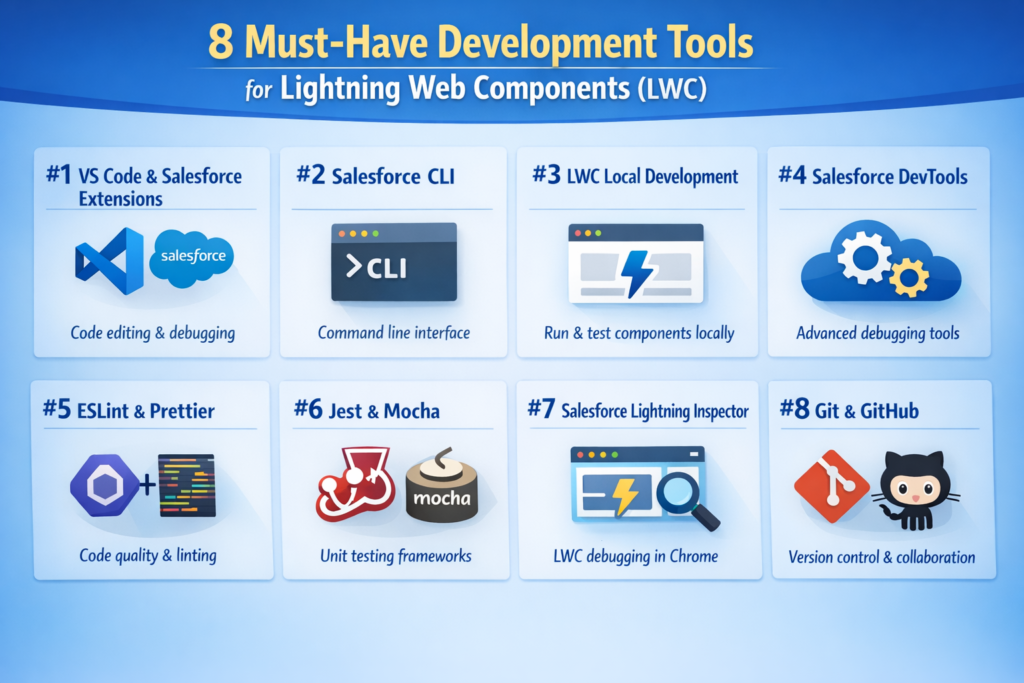
The right development tools don’t just save time — they help you write cleaner code, debug faster, and ship features with confidence. In this blog, we’ll walk through 8 popular and practical LWC development tools that every Salesforce developer should know and use.
What Exactly Is Lightning Web Components (LWC)?
Lightning Web Components is Salesforce’s modern UI framework built on native web standards like HTML, JavaScript, and CSS.
Unlike Aura, LWC leverages:
-
Standard JavaScript (ES6+)
-
Shadow DOM
-
Custom elements
-
Modules & templates
The biggest advantage?
If you understand HTML and JavaScript, you can start building LWCs with ease — no heavy framework learning curve required.
LWC coexists with Aura but delivers better performance, simpler code, and a future-ready architecture for both desktop and mobile applications.
Essential Tools Every LWC Developer Should Use
1. Salesforce CLI (Command Line Interface)
Salesforce CLI is the backbone of modern Salesforce development. It helps you manage projects, create components, deploy code, and automate workflows — all from the command line.
Why developers love it:
-
Quickly create LWC components
-
Deploy & retrieve metadata
-
Run tests and manage orgs
-
Automate repetitive development tasks
If you’re working with Salesforce DX, CLI is non-negotiable.
2. Visual Studio Code + Salesforce Extensions
VS Code becomes a Salesforce powerhouse when paired with the Salesforce Extension Pack.
This combo gives you a smooth, developer-friendly experience for building LWCs.
Key benefits:
-
Smart code completion for LWC
-
Syntax highlighting & linting
-
Built-in debugging support
-
Direct Salesforce CLI execution
Recommended add-ons:
-
Salesforce Extension Pack
-
Prettier (clean, consistent formatting)
-
ESLint (catch bugs early)
3. LWC Recipes (Your Go-To Learning Companion)
LWC Recipes is a collection of real-world code examples maintained by Salesforce.
Instead of theory-heavy docs, you get practical, ready-to-use patterns.
Why it’s valuable:
-
Learn by example
-
Understand best practices
-
Quickly solve common UI problems
-
Improve component design patterns
Whenever you’re stuck, LWC Recipes is often the fastest way forward.
4. Chrome Developer Tools for LWC Debugging
Browser DevTools aren’t just for web developers — they’re incredibly useful for LWC too.
With Chrome DevTools, you can:
-
Inspect component DOM structure
-
Debug JavaScript issues
-
Track API calls
-
Analyze performance bottlenecks
Pro tip:
Spend time mastering the Elements, Console, and Network tabs — they’ll save you hours of debugging.
5. Local Development Server
Why deploy every small change to Salesforce?
The Local Development Server allows you to run and test LWCs locally, giving you instant feedback during development.
Benefits:
-
Faster development cycles
-
No repeated deployments
-
Immediate UI updates
-
Easier experimentation
Perfect for rapid prototyping and UI tuning.
6. Jest – Unit Testing for LWC
Testing is what separates average developers from professional ones.
Jest lets you write unit tests for LWCs, ensuring your components behave as expected — even as your codebase grows.
What Jest helps with:
-
Component-level testing
-
Mocking dependencies
-
Snapshot testing
-
Improving overall code quality
Well-tested LWCs = fewer bugs in production.
Advanced Tools That Level Up Your LWC Game
7. Apex Replay Debugger
While LWC handles the UI, Apex often powers the backend logic.
Apex Replay Debugger lets you:
-
Replay execution logs
-
Inspect variable values
-
Step through code logic
-
Debug complex Apex-LWC interactions
It integrates directly with VS Code, making debugging much more intuitive.
8. Salesforce Lightning Inspector
Salesforce Lightning Inspector is a Chrome extension designed specifically for Lightning components.
What it offers:
-
Visualize LWC component hierarchy
-
Monitor performance metrics
-
Track event propagation
-
Diagnose rendering issues
It’s especially helpful when working on large, component-heavy applications.
Final Thoughts
Lightning Web Components are shaping the future of Salesforce development — and the right tools make all the difference.
Whether you’re just starting with LWC or already building complex enterprise applications, these tools will:
-
Boost productivity
-
Improve code quality
-
Simplify debugging
-
Help you grow faster as a Salesforce developer