
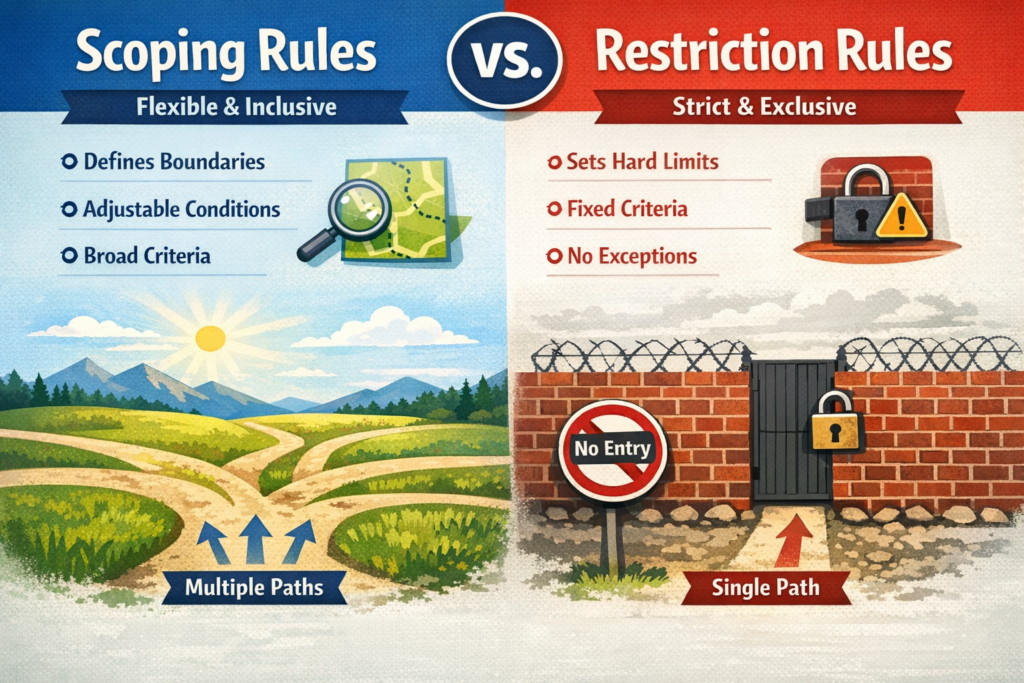
When it comes to data security in Salesforce, many people get confused between Scoping Rules and Restriction Rules. Both help control how users see data, but they work in different ways and solve different problems.
If you are a Salesforce Admin, Developer, or Business Owner, understanding the difference between these two is very important. In this blog, we will explain Scoping Rules vs. Restriction Rules in simple English, with practical examples and real use cases.
Why Data Visibility Matters in Salesforce
In Salesforce, data is powerful. But not everyone should see everything.
For example:
-
A sales rep should only see their own opportunities.
-
A support agent may need to see only cases from their region.
-
A manager may need access to all team records.
Salesforce provides multiple layers of data security such as:
-
Organization-Wide Defaults (OWD)
-
Role Hierarchy
-
Sharing Rules
-
Profiles and Permission Sets
-
Scoping Rules
-
Restriction Rules
Today, we will focus on the last two.
What Are Scoping Rules in Salesforce?
Scoping Rules help users focus on specific records in list views without permanently restricting access.
In simple words:
👉 Scoping Rules help filter records for better focus, but they do not remove access.
Key Points About Scoping Rules
-
They work on list views.
-
They help users see only relevant records.
-
They do NOT remove access to records.
-
Users can still access records through reports, search, or direct links if they have permission.
Example of Scoping Rules
Imagine a company that works in multiple regions:
-
North
-
South
-
East
-
West
A sales rep from the North region logs in. With Scoping Rules applied, they see only North region accounts in their default list view.
However, if they search for a South region account directly, they can still access it (if sharing allows).
When to Use Scoping Rules
-
When users feel overwhelmed by too many records.
-
When you want to improve user productivity.
-
When you want to simplify list views without changing actual data access.
Benefits of Scoping Rules
-
Cleaner user interface
-
Better user experience
-
Increased productivity
-
No impact on backend sharing model
What Are Restriction Rules in Salesforce?
Restriction Rules are stronger. They limit which records users can actually see — even if sharing rules allow access.
In simple words:
👉 Restriction Rules remove access to records based on conditions.
Key Points About Restriction Rules
-
They work after sharing rules.
-
They restrict record visibility.
-
Users cannot access restricted records through search, reports, or API.
-
They are used for stronger data security.
Example of Restriction Rules
Suppose your Organization-Wide Default (OWD) for Accounts is Public Read Only.
This means everyone can see all accounts.
Now you create a Restriction Rule:
-
Sales reps can only see Accounts where Region = North.
Even though OWD allows access to all accounts, Restriction Rules will limit visibility to North region only.
The user cannot see other region accounts anywhere.
When to Use Restriction Rules
-
When strict data security is required.
-
When compliance rules demand limited visibility.
-
When different departments must not see each other’s data.
-
When working with sensitive financial or healthcare data.
Benefits of Restriction Rules
-
Stronger data security
-
Better compliance control
-
More precise access management
-
Reduced risk of data exposure
Scoping Rules vs. Restriction Rules – Side-by-Side Comparison
| Feature | Scoping Rules | Restriction Rules |
|---|---|---|
| Purpose | Improve focus | Restrict access |
| Security Impact | No real restriction | Strong restriction |
| Affects Sharing? | No | Yes (applies after sharing) |
| Accessible via Search? | Yes | No |
| Used For | Productivity | Data security |
| Works On | List Views | Record visibility everywhere |
Important Difference in Simple Terms
If we explain in one line:
-
Scoping Rules filter what you see first.
-
Restriction Rules control what you are allowed to see at all.
That’s the core difference.
Real-Life Business Scenario
Let’s say you run a financial services company.
Scenario 1 – Using Scoping Rules
You want Relationship Managers to focus only on their own clients in list views.
But managers can still search and access other records if needed.
Use Scoping Rules.
Scenario 2 – Using Restriction Rules
You want Investment Advisors to see only clients assigned to them, and absolutely no one else’s data due to compliance rules.
Use Restriction Rules.
How Scoping and Restriction Rules Work with OWD
Understanding the order is important.
-
Organization-Wide Defaults define baseline access.
-
Sharing Rules expand access.
-
Restriction Rules limit access further.
-
Scoping Rules only adjust list view visibility.
Restriction Rules cannot give access — they can only reduce it.
Scoping Rules do not change access at all.
Common Mistakes to Avoid
❌ Using Scoping Rules when you need real data security
❌ Assuming Restriction Rules override everything (they don’t override permissions)
❌ Forgetting to test visibility in Reports and API access
❌ Not documenting security architecture properly
Best Practices for Salesforce Admins
✔ Always define your security model first (OWD + Roles + Sharing)
✔ Use Restriction Rules for compliance-based security
✔ Use Scoping Rules for better user experience
✔ Test with real user profiles
✔ Document rule logic clearly
Final Thoughts
Both Scoping Rules and Restriction Rules are powerful tools in Salesforce.
They may sound similar, but their purpose is completely different.
-
If your goal is better focus and productivity → Use Scoping Rules.
-
If your goal is strict data protection → Use Restriction Rules.
Understanding this difference helps you design a smarter and safer Salesforce environment.
As Salesforce continues to evolve, mastering these security features will help you build scalable, compliant, and efficient CRM systems.