
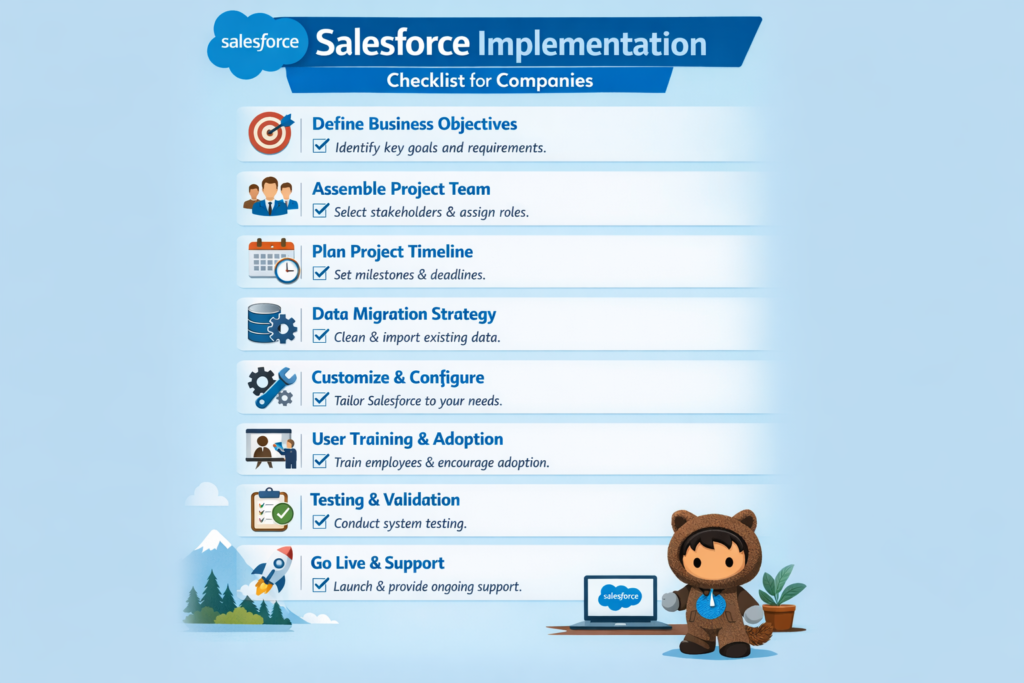
Salesforce Implementation Checklist for Companies
Implementing Salesforce is a major step for any company. When done correctly, it can transform sales, customer support, marketing, and overall business efficiency. When done without planning, it can lead to low adoption, confusion, and wasted investment.
This Salesforce implementation checklist is designed to help companies plan, execute, and succeed with Salesforce. Whether you are a startup, a growing business, or an enterprise, this guide will help you avoid common mistakes and build a system that actually works.
1. Define Clear Business Goals Before Implementation
The first and most important step is understanding why you are implementing Salesforce.
Many companies make the mistake of starting with features instead of goals. Salesforce is powerful, but it must be aligned with business objectives.
Questions to Ask
-
What problems are we trying to solve
-
Which teams will use Salesforce
-
What success looks like after implementation
Example
A sales-driven company wants better pipeline visibility and faster deal closures. Their primary goal is to improve lead tracking, opportunity management, and forecasting. In this case, Sales Cloud should be the main focus.
2. Identify Key Stakeholders and Users
Salesforce implementation affects multiple teams. Early involvement of stakeholders ensures better adoption and smoother execution.
Stakeholders May Include
-
Sales leaders
-
Customer support managers
-
Marketing team
-
IT team
-
Leadership or founders
Use Case
A service-based company includes customer support managers during implementation planning. Their inputs help design case workflows that match real customer issues, reducing rework later.
3. Choose the Right Salesforce Clouds and Licenses
Salesforce offers multiple clouds, and choosing the right ones is critical.
Common Salesforce Clouds
-
Sales Cloud for sales automation
-
Service Cloud for customer support
-
Marketing Cloud for customer engagement
-
Experience Cloud for portals
-
Data Cloud for unified customer data
-
Industry Clouds like Health Cloud or Financial Services Cloud
Example
A retail company selects Sales Cloud and Service Cloud first, then plans Marketing Cloud in phase two. This phased approach helps manage cost and complexity.
4. Plan Data Migration Carefully
Data is the foundation of Salesforce. Poor data migration can cause long-term problems.
Key Data to Review
-
Leads and accounts
-
Contacts
-
Opportunities
-
Cases
-
Historical data relevance
Checklist
-
Clean duplicate and outdated data
-
Map old fields to Salesforce fields
-
Decide what historical data is required
Example
A company migrating from Excel removes inactive leads older than three years before importing data into Salesforce, improving data quality from day one.
5. Design Business Processes Before Configuration
Salesforce should reflect how your business works, not force teams into uncomfortable processes.
Processes to Define
-
Lead assignment and qualification
-
Opportunity stages
-
Case escalation rules
-
Approval workflows
Use Case
A company maps its sales stages on paper before configuring Salesforce. This ensures all sales reps follow a consistent and logical process.
6. Customize Only What Is Necessary
Salesforce allows heavy customization, but too much customization can cause issues later.
Best Practices
-
Use standard features wherever possible
-
Customize only when there is a real business need
-
Keep future scalability in mind
Example
Instead of building custom code for approvals, a company uses Salesforce approval processes and Flow, reducing maintenance effort.
7. Set Up Security and Access Controls
Not all users should see or edit all data.
Security Areas to Configure
-
Profiles and permission sets
-
Role hierarchy
-
Field-level security
-
Data sharing rules
Use Case
Sales reps can view only their own opportunities, while managers can view team data. Finance users have read-only access to deals.
8. Integrate Salesforce with Other Systems
Most companies use multiple tools. Salesforce works best when integrated.
Common Integrations
-
Email systems
-
ERP or billing tools
-
Marketing platforms
-
CTI or telephony systems
Example
A company integrates Salesforce with its billing system so sales and finance teams see real-time invoice status.
9. Test Everything Before Go-Live
Testing helps catch issues before users start working in Salesforce.
Types of Testing
-
Functional testing
-
User acceptance testing
-
Integration testing
-
Security testing
Use Case
Sales managers test lead assignment rules and discover incorrect routing before launch, preventing lost leads.
10. Train Users Based on Their Roles
User adoption is one of the biggest reasons Salesforce projects fail.
Training Tips
-
Role-based training sessions
-
Hands-on demos
-
Real business scenarios
-
Simple user guides
Example
Support agents are trained only on case handling and reports they need, instead of full Salesforce features, making training effective and less overwhelming.
11. Prepare for Go-Live and Change Management
A smooth go-live requires planning and communication.
Checklist
-
Announce go-live date
-
Share support contacts
-
Freeze major changes before launch
-
Keep backup data ready
Use Case
A company runs Salesforce parallel with the old system for one week to ensure stability before fully switching.
12. Monitor Performance After Implementation
Salesforce implementation does not end at go-live.
Key Metrics to Track
-
User login and adoption
-
Data accuracy
-
Process efficiency
-
Sales or service performance
Example
A company tracks dashboard usage and finds low engagement. Additional training improves adoption significantly.
13. Plan for Continuous Improvement
Salesforce evolves constantly, and so should your implementation.
Ongoing Activities
-
Review reports and dashboards
-
Optimize automation
-
Add new features gradually
-
Gather user feedback
Use Case
After three months, a company adds automation for follow-up tasks, saving sales reps several hours each week.
Final Thoughts
Salesforce implementation is not just a technical project. It is a business transformation. Companies that follow a structured checklist see higher adoption, better ROI, and long-term success.
The key is clarity, planning, and continuous improvement. When Salesforce is implemented with the right strategy, it becomes more than a CRM. It becomes a growth engine for the organization.