
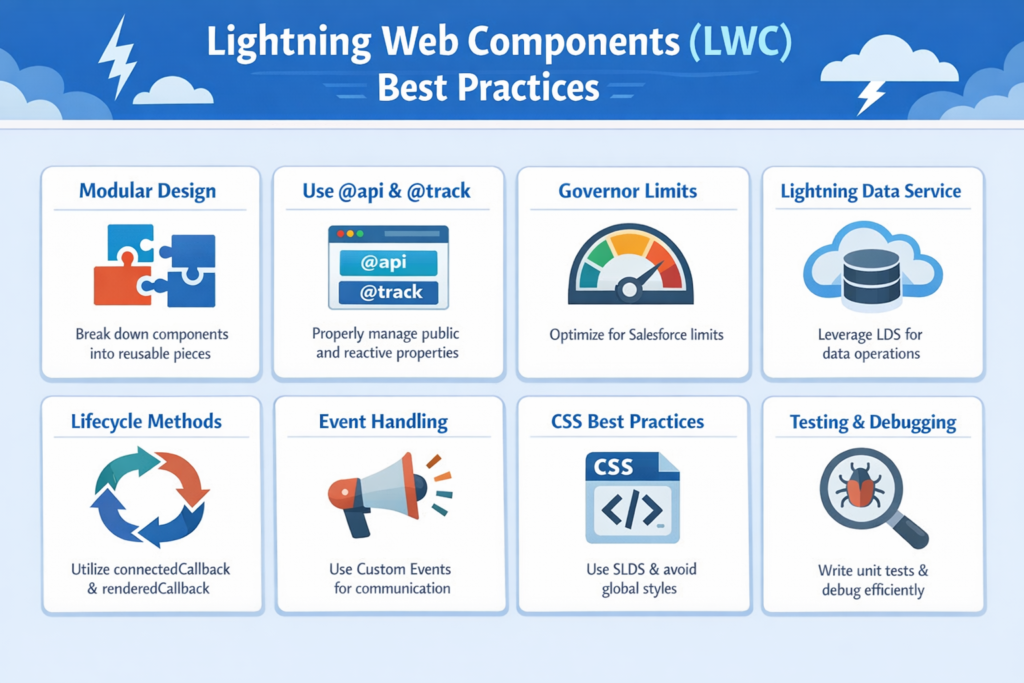
In today’s Salesforce development world, Lightning Web Components (LWC) have become the standard for building fast, modern, and efficient user interfaces. But just knowing how to create an LWC is not enough. The real difference comes when you follow best practices.
If your code is clean, optimized, and scalable, your application will perform better and be easier to maintain. In this detailed guide, we will walk through the most important LWC best practices in simple English, step by step, so that you can apply them in real projects.
What is Lightning Web Components (LWC)
Lightning Web Components is a modern JavaScript-based framework in Salesforce used to build UI components.
It is based on:
-
Standard JavaScript
-
HTML
-
CSS
LWC is faster and more efficient compared to older frameworks because it uses native browser capabilities.
Why Best Practices are Important in LWC
Many developers write code that works, but not all write code that is clean and scalable.
Following best practices helps you:
-
Improve performance
-
Reduce bugs
-
Make code easy to understand
-
Enable team collaboration
-
Build reusable components
In simple words, best practices turn average code into professional code.
1. Keep Components Small and Reusable
One of the most important rules is: do not create large components.
Instead:
-
Break UI into smaller components
-
Make each component do one specific job
Example:
Instead of one big component for a page:
-
Create separate components for header, form, and list
This makes your code:
-
Easy to manage
-
Easy to reuse
2. Follow Proper Folder Structure
Every LWC has three main files:
-
HTML (template)
-
JavaScript (logic)
-
CSS (style)
Keep your files clean and organized.
Best Practice:
-
Use meaningful names
-
Group related components
-
Avoid unnecessary files
3. Use @track, @api, and @wire Correctly
Understanding decorators is very important.
@api
-
Used for public properties
-
Allows parent to pass data
@track
-
Used for reactive private properties
@wire
-
Used to fetch data from Salesforce
Tip:
Do not overuse @track. In modern LWC, most properties are reactive by default.
4. Avoid Hardcoding Values
Hardcoding values makes your code inflexible.
Instead:
-
Use labels
-
Use custom metadata
-
Use constants
Example:
Instead of:
“Status = Approved”
Use:
Custom Label or dynamic value
This makes your component reusable and maintainable.
5. Optimize Apex Calls
Calling Apex unnecessarily can slow down your application.
Best Practices:
-
Use @wire for read operations
-
Use imperative calls only when needed
-
Cache data whenever possible
Example:
If data does not change frequently, cache it instead of calling Apex again and again.
6. Handle Errors Properly
Error handling is often ignored, but it is very important.
Best Practices:
-
Use try-catch in JavaScript
-
Show user-friendly error messages
-
Log errors for debugging
Example:
Instead of showing technical errors:
Show simple messages like “Something went wrong, please try again”
7. Use Lightning Data Service (LDS)
Whenever possible, use Lightning Data Service instead of Apex.
Benefits:
-
No need to write Apex code
-
Better performance
-
Automatic data updates
8. Improve Performance with Lazy Loading
Do not load everything at once.
Best Practice:
-
Load components only when needed
-
Use conditional rendering
Example:
Load a modal only when user clicks a button.
9. Follow Naming Conventions
Naming is very important for readability.
Best Practices:
-
Use camelCase for variables
-
Use meaningful names
-
Avoid short and unclear names
Example:
Bad: data1
Good: accountList
10. Use Events for Communication
Components should communicate properly.
Types:
-
Parent to child → @api
-
Child to parent → Custom Events
Best Practice:
-
Keep communication clear and structured
-
Avoid tight coupling
11. Write Clean HTML Templates
Your HTML should be simple and readable.
Best Practices:
-
Avoid complex logic in HTML
-
Use getters in JavaScript
-
Keep template clean
12. Use CSS Efficiently
Styling should not break your UI.
Best Practices:
-
Use scoped CSS
-
Avoid global styles
-
Keep design consistent
13. Add Comments and Documentation
Always write comments where needed.
Benefits:
-
Helps other developers
-
Makes debugging easier
-
Improves maintainability
14. Use Debugging Techniques
Debugging is part of development.
Best Practices:
-
Use console logs wisely
-
Use browser developer tools
-
Check network calls
15. Test Your Components Properly
Never deploy without testing.
Best Practices:
-
Test UI behavior
-
Test edge cases
-
Validate user inputs
Real-Life Scenario
Let’s understand with an example.
You are building a Lead Management component.
Bad approach:
-
One large component
-
Hardcoded values
-
Multiple unnecessary Apex calls
Good approach:
-
Separate components for form and list
-
Use @wire for fetching data
-
Handle errors properly
-
Use reusable logic
This improves performance and scalability.
Common Mistakes to Avoid
-
Writing large components
-
Overusing Apex calls
-
Ignoring error handling
-
Hardcoding values
-
Poor naming conventions
Avoiding these mistakes can significantly improve your code quality.
Final Thoughts
Lightning Web Components is a powerful framework, but writing clean and efficient code is what makes a great developer.
If you follow these best practices, you will:
-
Build faster applications
-
Write cleaner code
-
Handle complex projects easily
Start applying these practices in your daily work, and over time, you will see a big improvement in your development skills.