
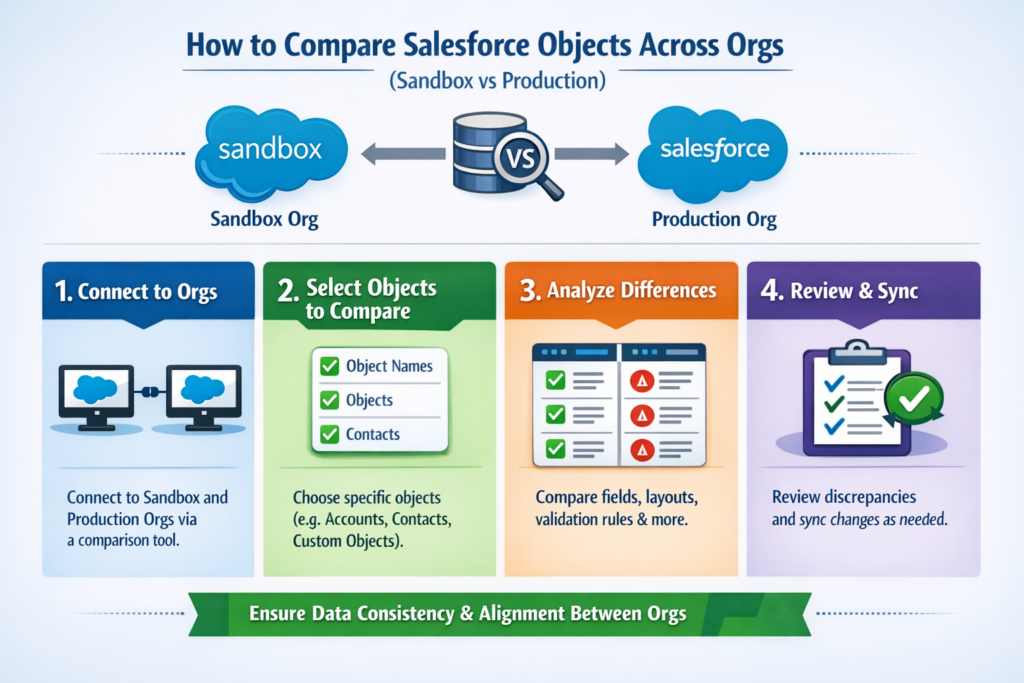
How to Compare Salesforce Objects Across Orgs (Sandbox vs Production)
Working in Salesforce often means dealing with multiple orgs—especially Sandbox and Production.
You build new features in Sandbox, test them, and then move everything to Production.
But here’s the real challenge 👇
How do you make sure both orgs are truly in sync?
A small mismatch in objects, fields, or configurations can cause deployment failures, data issues, or broken automations.
In this blog, we’ll explore easy and practical ways to compare Salesforce objects across orgs, even if you’re not a hardcore developer.
Why Comparing Salesforce Objects Is Important
Before we jump into the “how”, let’s understand why this matters.
-
Sandbox is where changes happen first
-
Production is the live system used by real users
-
Any difference between them can lead to:
-
Failed deployments
-
Missing fields in reports
-
Broken flows or validation rules
-
Integration issues
-
👉 Regular comparison helps you avoid surprises and keep your Salesforce org healthy.
What Should You Compare Between Sandbox and Production?
When we say “compare Salesforce objects”, it’s not just about object names.
Here’s what you should always check:
-
Custom Objects
-
Standard Objects (customizations)
-
Custom Fields
-
Field Data Types & Length
-
Picklist Values
-
Validation Rules
-
Page Layouts
-
Record Types
-
Relationships (Lookup & Master-Detail)
Even one missing picklist value can break automation.
Method 1: Manual Comparison (Best for Small Changes)
This is the simplest approach and works well for small orgs or quick checks.
Steps:
-
Open the object in Sandbox
-
Open the same object in Production
-
Compare:
-
Fields
-
Data types
-
Required settings
-
Picklist values
-
Pros:
-
No tools required
-
Easy to understand
Cons:
-
Time-consuming
-
Not practical for large orgs
-
High chance of human error
👉 Use this only when changes are minimal.
Method 2: Using Salesforce Change Sets
Change Sets are commonly used for deployments, but they also help in object comparison.
How it helps:
-
You can see what components exist in Sandbox but not in Production
-
Missing fields or objects become obvious
Steps:
-
Create an Outbound Change Set in Sandbox
-
Add objects and fields
-
Upload to Production
-
Review missing or conflicting components
Limitations:
-
Doesn’t give a side-by-side comparison
-
Not ideal for analysis, only migration
Method 3: Salesforce Schema Builder (Quick Visual Check)
Schema Builder gives you a visual view of objects and relationships.
Why it’s useful:
-
Helps spot missing relationships
-
Easy to understand object structure
How to use:
-
Open Schema Builder in both orgs
-
Load the same set of objects
-
Compare relationships and fields
⚠️ This is more of a high-level comparison, not a detailed one.
Method 4: Using Salesforce Metadata API (Advanced but Powerful)
This method is popular among developers and advanced admins.
What you do:
-
Retrieve metadata (objects, fields) from both orgs
-
Compare XML files
Tools you can use:
-
Salesforce CLI (SFDX)
-
Visual Studio Code
Pros:
-
Very accurate
-
Covers everything
Cons:
-
Requires technical knowledge
-
Not beginner-friendly
👉 Best for large projects and CI/CD pipelines.
Method 5: Third-Party Comparison Tools (Recommended)
If you want accuracy + speed, third-party tools are the best choice.
Popular tools:
-
Gearset
-
Copado
-
Autorabit
-
Blue Canvas
Why teams love these tools:
-
Side-by-side comparison
-
Clear difference reports
-
Easy rollback options
-
Time-saving
These tools are especially useful for enterprise orgs.
Best Practices While Comparing Salesforce Objects
To avoid future headaches, follow these tips:
-
Always compare before deployment
-
Keep Sandbox refreshed regularly
-
Maintain documentation of object changes
-
Use naming conventions consistently
-
Compare both structure and logic (flows, validations)
Small discipline today saves big production issues tomorrow.
Common Mistakes to Avoid
❌ Ignoring picklist value differences
❌ Forgetting field-level security
❌ Comparing only objects, not automations
❌ Deploying without pre-checks
Remember: Salesforce issues rarely come from big changes—they come from small misses.
Final Thoughts
Comparing Salesforce objects across Sandbox and Production is not optional, it’s essential.
Whether you choose manual checks, metadata tools, or third-party platforms depends on your org size and complexity.
If done correctly, it ensures:
-
Smooth deployments
-
Stable production org
-
Happy users
And that’s what every Salesforce team wants 🚀