
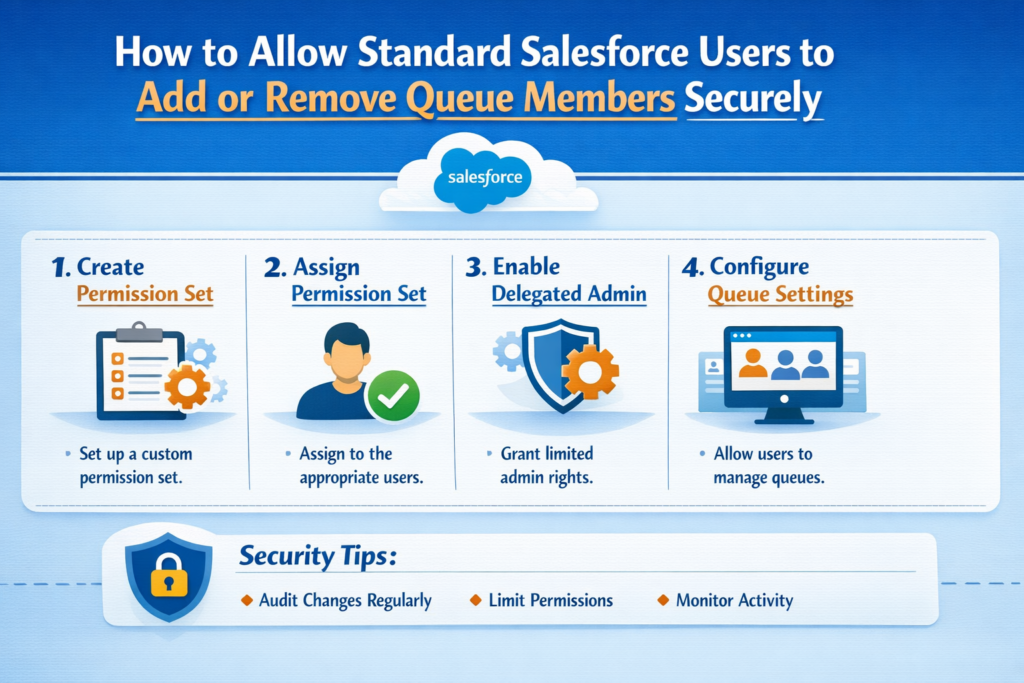
Queues are one of the most useful features in Salesforce. They help teams distribute work efficiently, prevent record ownership issues, and improve response times.
But many organizations face a recurring challenge:
How can standard Salesforce users manage queue members without giving them full administrative access?
This is a very common requirement, especially in growing businesses where team structures change frequently.
Let’s break this down in simple terms.
Why Businesses Need This Flexibility
In real-world Salesforce environments:
-
New employees join regularly
-
Team members switch roles
-
Temporary assignments are common
-
Admins get overwhelmed with small requests
Imagine raising a ticket every time someone needs to be added to a queue. It slows down operations and increases admin workload.
Allowing certain users (like team leads) to manage queue members makes business sense.
But security cannot be compromised.
The Security Challenge
Queues are not just simple groups. They influence:
-
Record ownership
-
Data visibility
-
Assignment rules
-
Business workflows
If queue management is loosely controlled, users might:
-
Gain unintended access to records
-
Accidentally remove critical members
-
Disrupt case or lead routing
This is why Salesforce restricts queue management by default.
The goal is controlled access — not open access.
Real-World Use Case
Let’s consider a practical scenario.
Use Case: Customer Support Team
A company has:
-
20 support agents
-
3 team leads
-
Multiple queues (Tier 1, Tier 2, Escalations)
Agents frequently move between Tier 1 and Tier 2 based on workload.
Without delegated queue management:
-
Team lead sends request to admin
-
Admin updates queue
-
Delay in work distribution
With delegated queue management:
Team leads directly update queue members based on daily needs.
Result:
-
Faster adjustments
-
Reduced admin dependency
-
Better workload balancing
Example Scenario
Imagine this situation.
A new support agent joins the team.
Traditional Process:
-
Email admin
-
Admin logs request
-
Admin updates queue
Optimized Process:
-
Team lead opens Queue Management screen
-
Selects queue
-
Adds new agent
Done in seconds.
No admin involvement. No delays.
Key Principle: Controlled Delegation
Instead of granting admin privileges, the recommended approach is:
Provide limited, purpose-driven access.
Users get only the capabilities they need — nothing more.
Secure Approaches to Enable This
Option 1: Delegated Administration (Limited Native Control)
Salesforce provides Delegated Administration, which allows:
-
Assigning specific management responsibilities
-
Restricting administrative scope
However, this approach has limitations when dealing with queue members specifically.
It works well for basic governance needs but may not fully solve queue management flexibility.
Option 2: Custom Queue Management Solution (Recommended)
Most mature Salesforce implementations prefer a custom approach.
This typically involves:
-
Apex controller for logic
-
Lightning Web Component (LWC) for UI
-
Permission-based access control
Why Custom Works Better
A custom solution allows you to define:
-
Who can manage queues
-
Which queues they can manage
-
What actions they can perform
-
How changes are validated
Critical Security Best Practices
Security must drive the design.
1. Permission-Based Access
Never allow all standard users to manage queues.
Instead:
-
Create a dedicated permission set
-
Assign only to authorized roles (team leads, supervisors)
2. Apex-Level Validation
UI restrictions alone are not sufficient.
Always validate in Apex:
-
User permissions
-
Queue eligibility
-
Member eligibility
This prevents unauthorized API manipulation.
3. Queue-Level Restrictions
Users should manage only relevant queues.
For example:
-
Support leads → Support queues
-
Sales managers → Sales queues
Avoid global queue access.
4. Safeguards Against Critical Errors
Good implementations include rules such as:
-
Prevent removing the last member
-
Prevent removing mandatory roles
-
Display warnings before critical changes
5. Audit and Tracking
Queue membership changes affect business workflows.
Track:
-
Who made the change
-
What was changed
-
When it happened
This improves accountability and troubleshooting.
Business Benefits of Secure Delegation
Organizations that implement this correctly see:
-
Reduced admin workload
-
Faster operational adjustments
-
Improved team autonomy
-
Better process efficiency
-
Stronger governance
Another Common Use Case
Use Case: Sales Operations Team
A sales organization uses queues for:
-
Lead assignment
-
Regional routing
-
Campaign responses
As sales reps move between territories, managers update queue membership directly.
This ensures:
-
Correct lead distribution
-
No manual admin requests
-
Real-time territory alignment
Recommended Strategy for Growing Organizations
For businesses scaling Salesforce usage:
Custom Queue Management Interface + Strong Security Controls
This provides:
-
Maximum flexibility
-
Controlled governance
-
Business-friendly usability
-
Long-term scalability
Final Thoughts
Queues are deeply connected to record ownership, visibility, and assignment logic. Allowing users to manage queue members is a powerful capability — but only when implemented responsibly.