
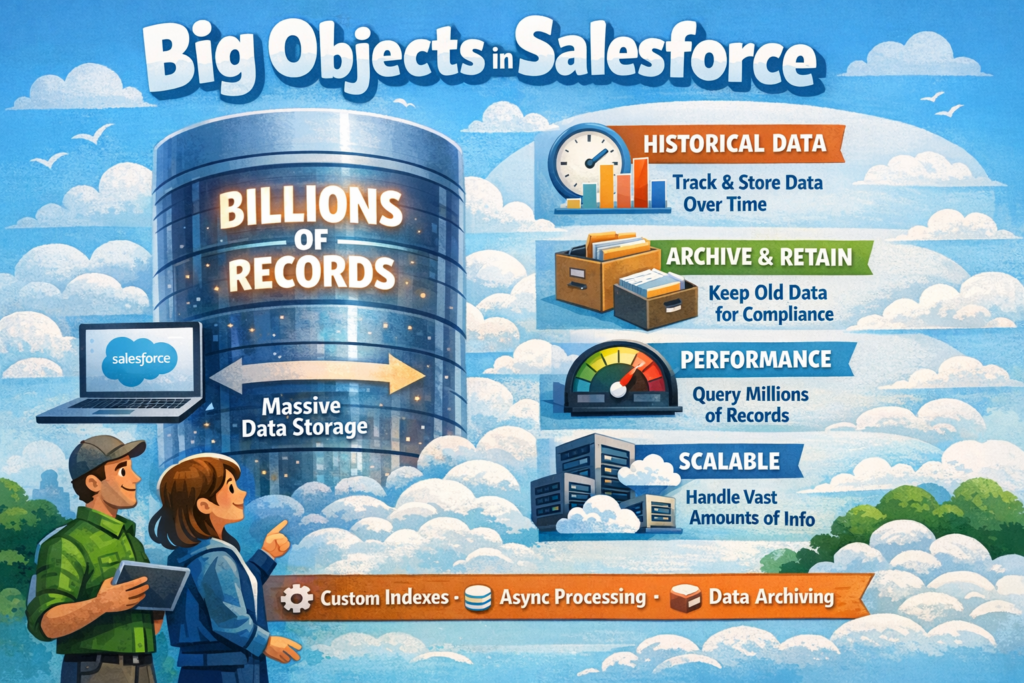
In today’s digital world, data is growing faster than ever. Every click, transaction, log, event, and interaction adds to an organization’s data footprint. Salesforce, being a customer-centric platform, handles massive volumes of data — but storing everything in standard or custom objects isn’t always practical.
That’s exactly where Big Objects in Salesforce come into play.
If you’ve ever worried about data storage limits, performance issues, or long-term historical data, this blog will help you clearly understand what Big Objects are, why they exist, and when to use them.
What Is a Big Object in Salesforce?
A Big Object is a special type of Salesforce object designed to store huge volumes of data — think millions or even billions of records.
Unlike standard or custom objects, Big Objects are optimized for:
-
High-scale data storage
-
Long-term retention
-
Read-heavy use cases
They are typically used for archival data, event logs, historical transactions, and audit records where performance and storage efficiency matter more than frequent updates.
Why Salesforce Introduced Big Objects
Salesforce has strict data storage limits for standard and custom objects. Over time, organizations face challenges like:
-
Storage limit overages
-
Slower query performance
-
Increased maintenance effort
Big Objects solve this by allowing:
-
Massive data storage at a lower cost
-
Better platform performance
-
Cleaner orgs with only relevant active data
In short:
Active data stays in regular objects, historical data moves to Big Objects.
Key Features of Big Objects
Let’s break down what makes Big Objects different:
1. Massive Scalability
Big Objects can store billions of records without impacting org performance.
2. Indexed Fields (Primary Key)
-
Big Objects require a defined index
-
Queries must use indexed fields
-
This ensures fast and predictable query performance
3. Read-Only After Insert
-
Records can be inserted
-
Records cannot be updated or deleted
This immutability ensures data integrity for audit and history use cases.
4. Asynchronous Processing
Big Objects are commonly used with:
-
Async Apex
-
Batch jobs
-
Platform Events
This makes them perfect for background data processing.
Big Object vs Custom Object
| Feature | Custom Object | Big Object |
|---|---|---|
| Data Volume | Limited | Very High |
| Updates Allowed | Yes | No |
| Deletes Allowed | Yes | No |
| Index Required | Optional | Mandatory |
| Storage Cost | Higher | Lower |
| Use Case | Active business data | Historical / archived data |
This comparison makes one thing clear:
Big Objects are not a replacement — they’re a complement.
Common Use Cases for Big Objects
Here are some real-world scenarios where Big Objects shine:
🔹 Data Archival
Move old records (5+ years) from core objects to Big Objects to free up space.
🔹 Event Logging
Store login history, API logs, or system events at scale.
🔹 Compliance & Audits
Maintain immutable records for legal or regulatory requirements.
🔹 IoT & High-Frequency Data
Perfect for sensor data, telemetry, and event-based systems.
How Big Objects Work Behind the Scenes
Big Objects rely heavily on:
-
Indexed queries
-
Async data insertion
-
Schema-defined structure
Because Salesforce controls how the data is stored and queried, Big Objects maintain performance even at extreme scale — something traditional objects struggle with.
Limitations You Should Know
While Big Objects are powerful, they come with trade-offs:
-
No triggers
-
No workflows or flows
-
No record-level security
-
Limited SOQL capabilities
-
No UI-based record editing
That’s why they should be used only when required, not by default.
Best Practices for Using Big Objects
To get the most out of Big Objects:
✅ Use them strictly for historical or immutable data
✅ Carefully design the index fields
✅ Keep active business logic in standard objects
✅ Archive data using Batch Apex or Async jobs
✅ Document the data lifecycle clearly
Big Objects and Performance: The Real Benefit
One of the biggest advantages of Big Objects is performance stability.
By offloading large volumes of old data:
-
Reports run faster
-
Queries become more efficient
-
Org maintenance becomes easier
This directly improves user experience and system reliability.
Final Thoughts
Big Objects are one of Salesforce’s most underrated yet powerful features. When used correctly, they help organizations:
-
Scale without fear
-
Control storage costs
-
Maintain long-term data compliance
-
Keep Salesforce orgs clean and performant
If your Salesforce org deals with large-scale historical data, Big Objects aren’t just an option — they’re a smart architectural decision.