
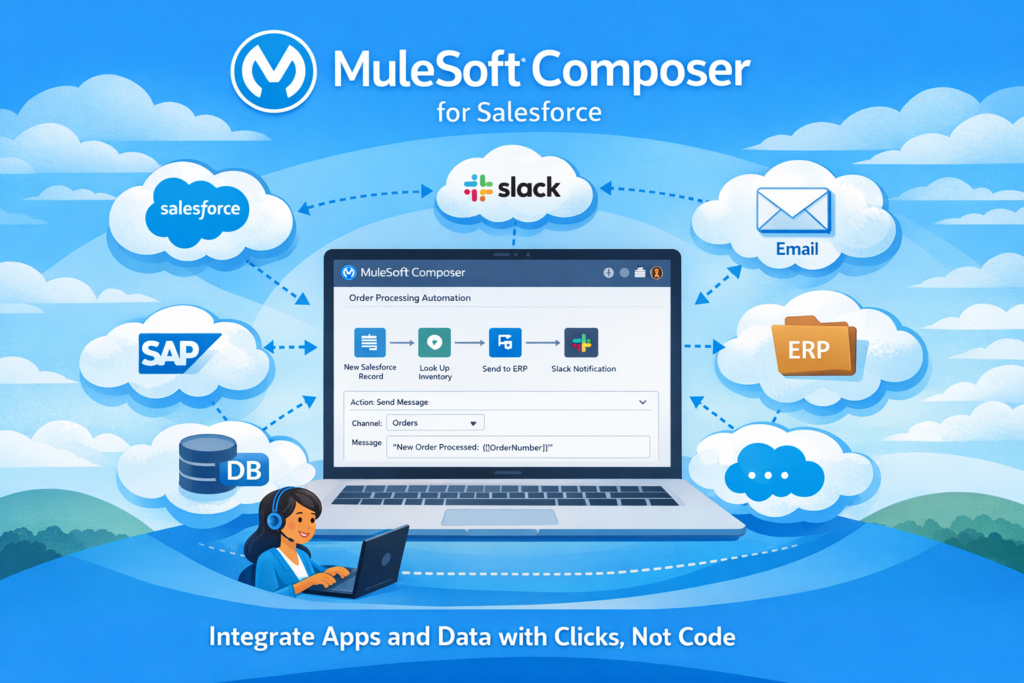
In today’s business world, data is spread across many systems. Sales teams work in Salesforce, finance teams use ERP systems, marketing uses different tools, and support teams rely on their own platforms. The real challenge is not collecting data, but connecting it properly.
This is where MuleSoft Composer for Salesforce becomes extremely useful.
MuleSoft Composer helps businesses connect Salesforce with other systems quickly and without complex coding. In this blog, we will understand what MuleSoft Composer is, how it works, and where it fits best, using simple language and real-world examples.
What Is MuleSoft Composer for Salesforce?
MuleSoft Composer is a no-code integration tool that allows users to connect Salesforce with external applications.
Instead of writing Apex, APIs, or middleware logic, integrations are built using a click-based interface. This makes it ideal for Salesforce Admins, Consultants, and business users who want faster results without depending heavily on developers.
In simple terms:
MuleSoft Composer helps move data between Salesforce and other systems automatically.
Why MuleSoft Composer Was Introduced
Traditional integrations usually involve:
-
Custom Apex callouts
-
Complex API development
-
Middleware configuration
-
Long development cycles
This approach increases cost and slows down delivery.
MuleSoft Composer was introduced to:
-
Reduce dependency on developers
-
Enable faster integrations
-
Allow business teams to take ownership
-
Deliver value quickly
It focuses on solving common integration needs with minimal complexity.
How MuleSoft Composer Works
MuleSoft Composer works on a simple concept: Triggers and Actions.
A trigger starts the integration, and actions define what happens next.
Example flow:
-
A record is created or updated in Salesforce (Trigger)
-
Data is sent to another system (Action)
Everything runs automatically once configured.
Common Systems Supported by MuleSoft Composer
MuleSoft Composer supports integration with many popular enterprise systems, including:
-
ERP systems such as SAP and NetSuite
-
HR platforms like Workday
-
Cloud services like AWS
-
Email platforms and databases
-
Marketing and analytics tools
Salesforce continues to add more connectors to expand its capabilities.
Real-World Use Case 1: Salesforce and ERP Integration
Business Problem
Sales teams close deals in Salesforce, but finance teams create invoices in an ERP system. Manual data entry causes delays and errors.
MuleSoft Composer Solution
-
Trigger: Opportunity is marked as Closed Won in Salesforce
-
Action: Sales Order is created automatically in the ERP system
Result
-
Faster billing process
-
No manual data entry
-
Improved data accuracy
Real-World Use Case 2: Lead Synchronization
Business Problem
Leads are captured in a marketing platform but sales teams work only in Salesforce.
MuleSoft Composer Solution
-
Trigger: New lead is created in the marketing system
-
Action: Lead record is created in Salesforce
This ensures sales teams get real-time access to leads without switching systems.
Real-World Use Case 3: Support Ticket Automation
Business Problem
Customer support tickets are created in an external tool, but service agents work in Salesforce.
MuleSoft Composer Solution
-
Trigger: New ticket is created in the external system
-
Action: Case is created automatically in Salesforce
Agents get a unified view of customer issues without manual effort.
Key Features of MuleSoft Composer
No-Code Integration
Integrations are built using clicks, not code, making them easy to understand and maintain.
Pre-Built Connectors
Ready-made connectors reduce development time and complexity.
Secure and Scalable
Built on the MuleSoft platform, Composer follows enterprise-grade security standards.
Salesforce Native Experience
Composer runs inside Salesforce, allowing admins to manage integrations without switching tools.
MuleSoft Composer vs Traditional MuleSoft
MuleSoft Composer is designed for simple to medium integrations, while traditional MuleSoft is used for complex enterprise-level integrations.
Composer is faster to implement and easier to manage but is not suitable for heavy transformations or complex orchestration.
When Should You Use MuleSoft Composer?
MuleSoft Composer is a good choice when:
-
Integration logic is simple
-
Speed is a priority
-
Business teams want control
-
Minimal data transformation is needed
It may not be suitable when:
-
Complex workflows are required
-
Large-scale orchestration is needed
-
Advanced real-time integrations are involved
Best Practices for MuleSoft Composer
-
Keep integrations simple and focused
-
Define clear error-handling rules
-
Monitor integration logs regularly
-
Avoid unnecessary chaining of actions
-
Document integration flows for easy maintenance
Common Interview Question
What is MuleSoft Composer?
MuleSoft Composer is a no-code integration tool that allows Salesforce users to connect Salesforce with external systems using triggers and actions, without writing custom code.
Business Benefits of MuleSoft Composer
-
Faster time to market
-
Reduced development costs
-
Improved data consistency
-
Lower maintenance effort
-
Increased productivity for admins and consultants
Final Thoughts
MuleSoft Composer for Salesforce is a powerful solution for organizations that want quick and reliable integrations without unnecessary complexity. It bridges the gap between business needs and technical implementation by enabling faster and simpler data connections.
For teams with straightforward integration requirements, MuleSoft Composer is an efficient and practical choice within the Salesforce ecosystem.