
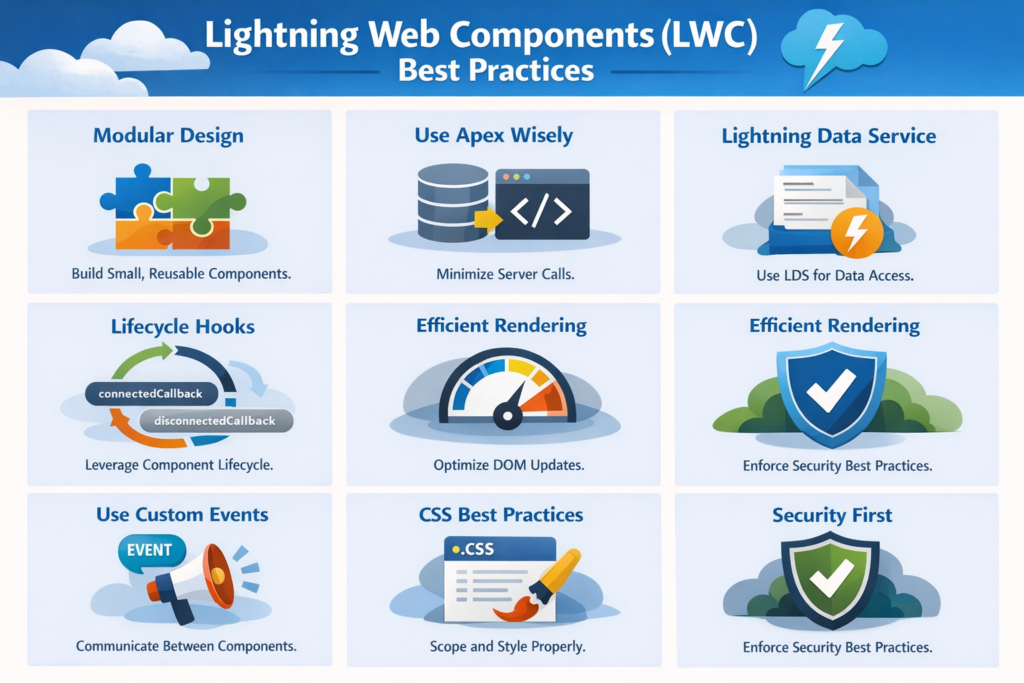
Lightning Web Components (LWC) have become the standard way to build modern, high‑performance user interfaces on the Salesforce platform. Built on web standards and optimized for speed, LWC allows developers to create scalable, maintainable, and user‑friendly applications.
However, writing LWC is not just about making components work. It’s about writing clean, reusable, and efficient code that performs well today and remains easy to maintain tomorrow.
In this blog, we’ll walk through practical LWC best practices that every Salesforce developer should follow.
1. Keep Components Small and Focused
One of the most common mistakes in LWC development is trying to do too much in a single component.
Best practice:
- Follow the single responsibility principle
- One component should solve one clear problem
- Break large components into smaller, reusable child components
Why it matters: Smaller components are easier to test, debug, reuse, and maintain. They also improve performance and readability.
2. Use Proper Folder and Naming Conventions
Consistency is critical when working in a team environment.
Best practice:
- Use meaningful component names (e.g.,
accountSummary, nottestComp) - Follow camelCase naming
- Match file names with component names
Why it matters: Clean naming makes your codebase easier to understand for other developers and future you.
3. Minimize Apex Calls
Unnecessary server calls can slow down your application.
Best practice:
- Use Apex only when required
- Cache data using
@wirewithcacheable=true - Avoid calling Apex in loops
- Reuse data instead of re‑fetching it
Why it matters: Fewer Apex calls mean better performance and lower risk of hitting governor limits.
4. Prefer @wire Over Imperative Calls
The @wire decorator provides a reactive and cleaner way to fetch data.
Best practice:
- Use
@wirefor read‑only operations - Use imperative Apex calls only for actions like save, update, or delete
Why it matters: @wire improves readability, supports caching, and automatically refreshes data when parameters change.
5. Handle Errors Gracefully
Error handling is often ignored until something breaks.
Best practice:
- Always handle errors from Apex and UI API
- Show meaningful error messages to users
- Log errors for debugging
Why it matters: Good error handling improves user experience and makes debugging much easier.
6. Use Lightning Data Service (LDS) When Possible
Lightning Data Service helps manage record data without writing Apex.
Best practice:
- Use
lightning-record-form,lightning-record-view-form, andlightning-record-edit-form - Use
getRecordandupdateRecordAPIs
Why it matters: LDS reduces code, improves performance, and ensures data consistency across components.
7. Avoid Hardcoding Values
Hardcoded values can cause issues during deployment and future updates.
Best practice:
- Use Custom Labels for text
- Use Custom Metadata or Custom Settings for configurations
- Avoid hardcoded IDs and URLs
Why it matters: This makes your components more flexible and deployment‑friendly.
8. Optimize HTML and CSS
Clean UI code improves both performance and readability.
Best practice:
- Keep HTML simple and semantic
- Avoid deeply nested elements
- Use scoped CSS wisely
- Avoid inline styles
Why it matters: Optimized UI code loads faster and is easier to maintain.
9. Use Events for Component Communication
LWC provides clean ways to communicate between components.
Best practice:
- Use custom events for parent‑child communication
- Avoid tightly coupling components
Why it matters: Loose coupling makes components reusable and easier to refactor.
10. Write Testable and Maintainable Code
Code quality matters as much as functionality.
Best practice:
- Keep JavaScript logic simple
- Avoid complex logic inside templates
- Write reusable utility functions
- Follow consistent formatting
Why it matters: Clean code reduces bugs and improves long‑term maintainability.
11. Focus on Performance
Performance issues often appear only at scale.
Best practice:
- Use
keydirective in loops - Avoid unnecessary re‑rendering
- Lazy load components when possible
Why it matters: Better performance leads to better user adoption and satisfaction.
Final Thoughts
Lightning Web Components are powerful, but the real value comes from how well they are designed and implemented.
By following these LWC best practices, you can:
- Build faster and more responsive UIs
- Write cleaner and reusable code
- Reduce maintenance effort
- Deliver better user experiences
Whether you are a beginner or an experienced Salesforce developer, mastering these practices will help you build scalable and future‑ready Salesforce applications.